Product
Everything your firm runs on.
Intake, documents, deadlines, invoices and a shared team queue, built around the client file.
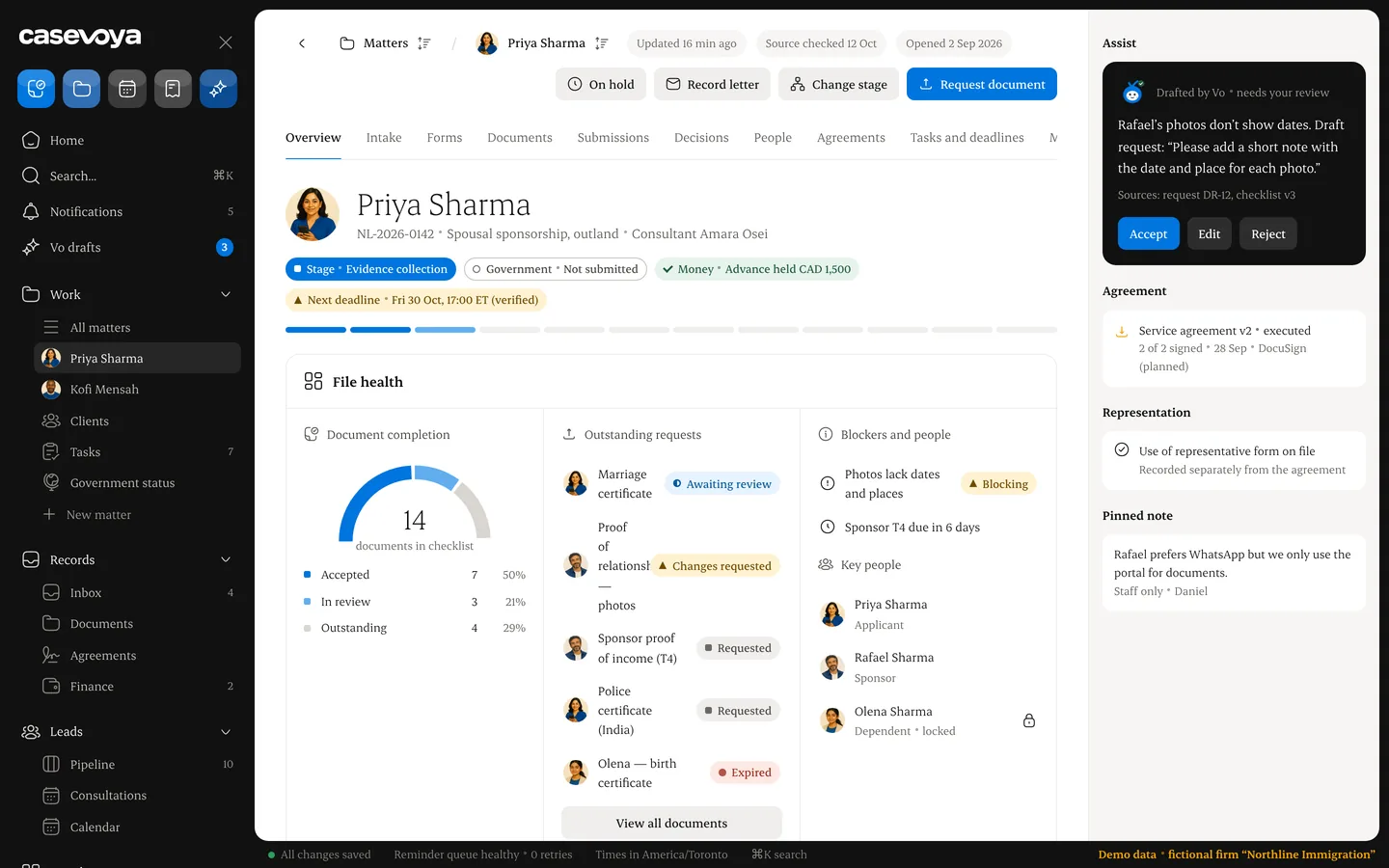
Everything on one sheet.Documents, tasks, invoices and history together.
Screens show illustrative data for a fictional firm.
app.casevoya.ca
Product views
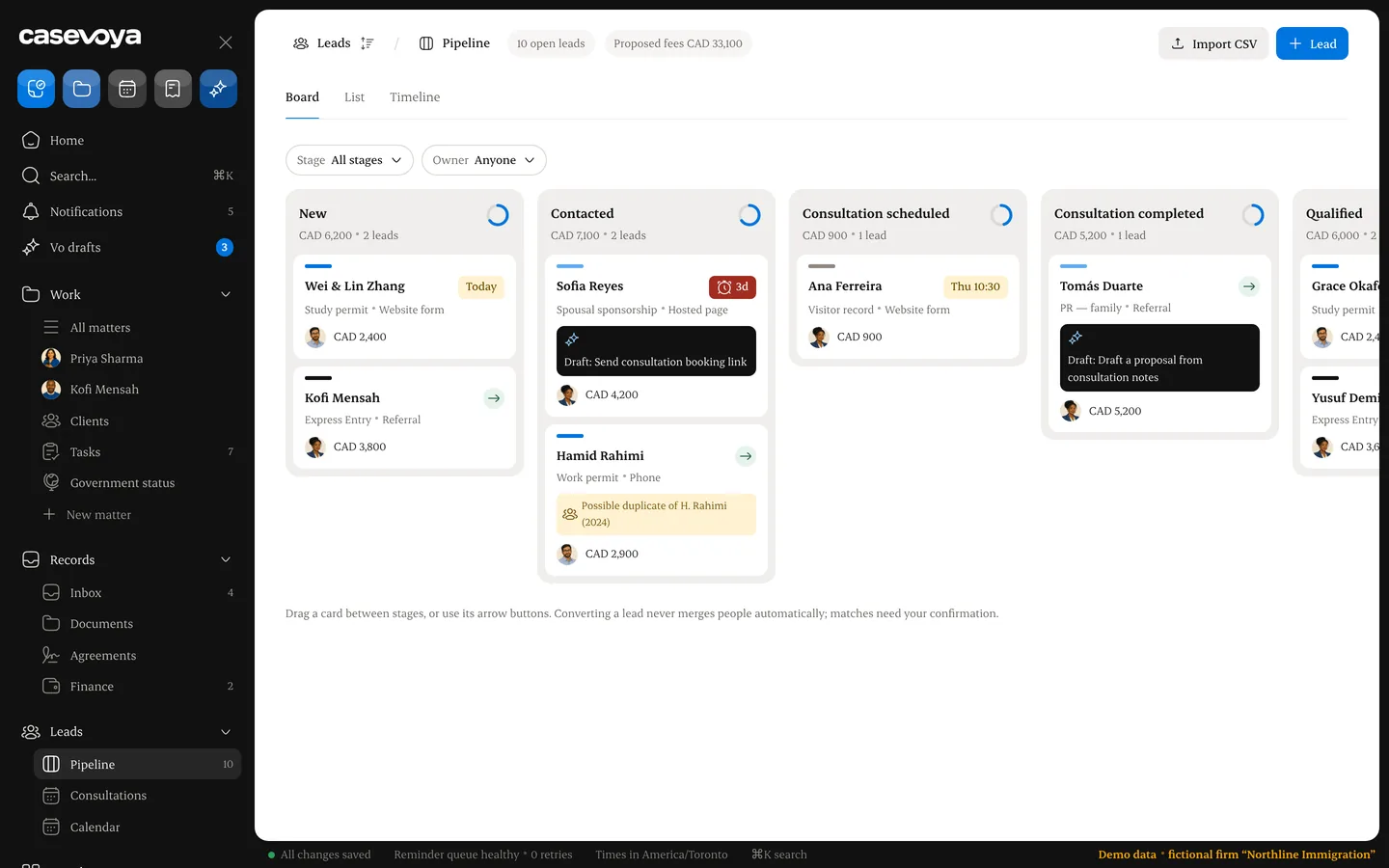
- IntakeEvery new enquiry lands in one list.Web intake opens the client file and the retainer, ready to sign.
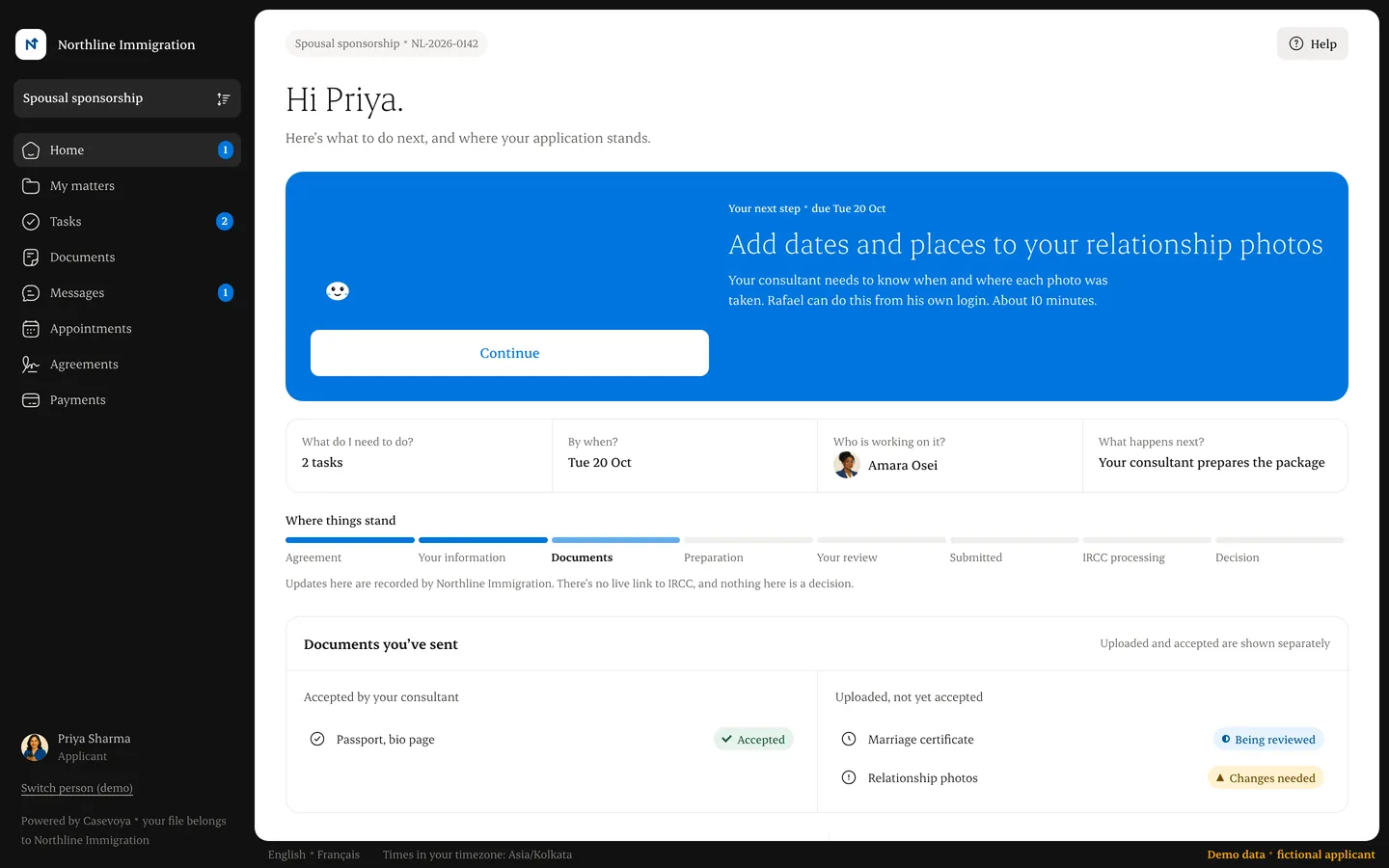
- Client portalOne clear next step.Clients upload from a laptop or a phone.
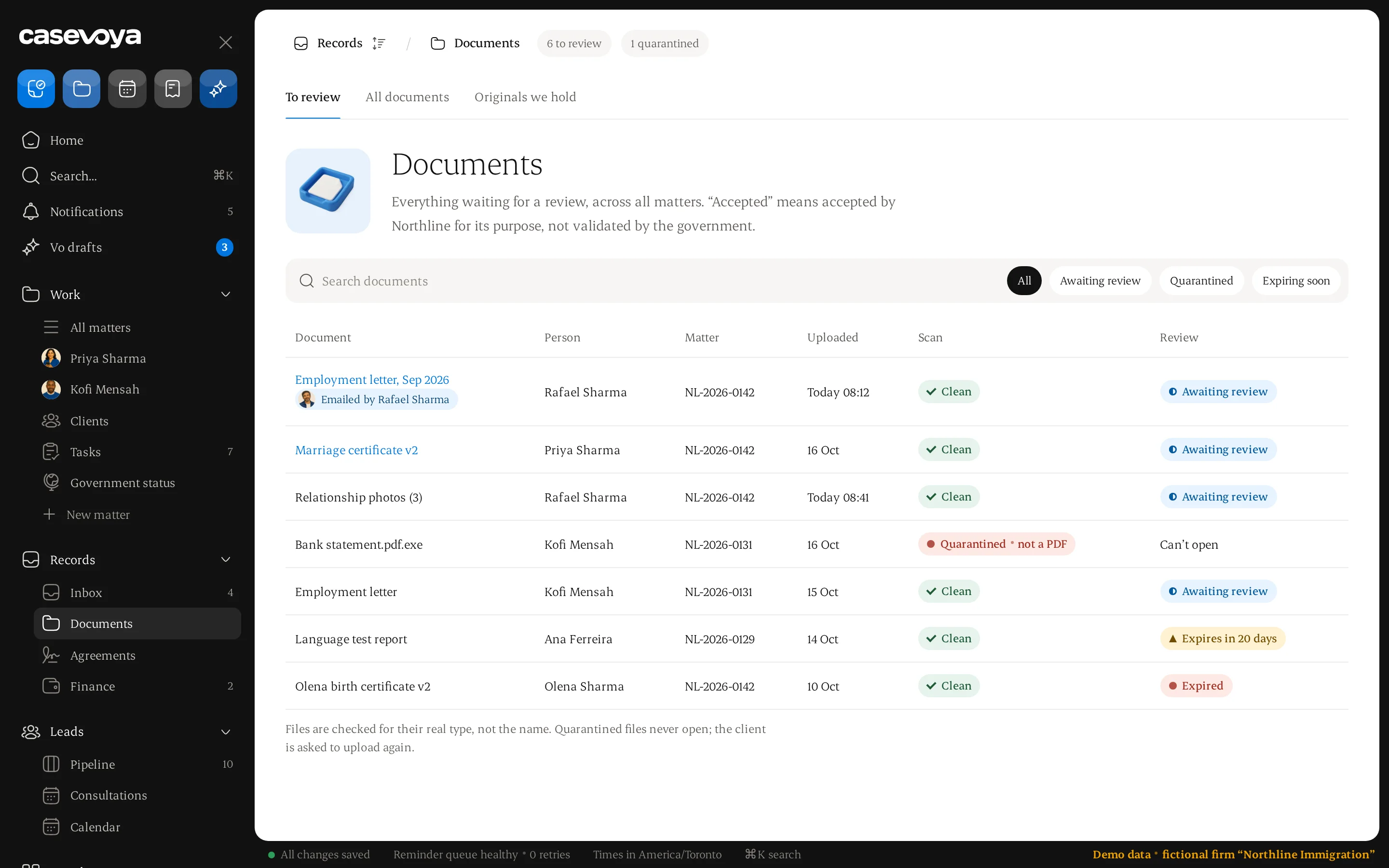
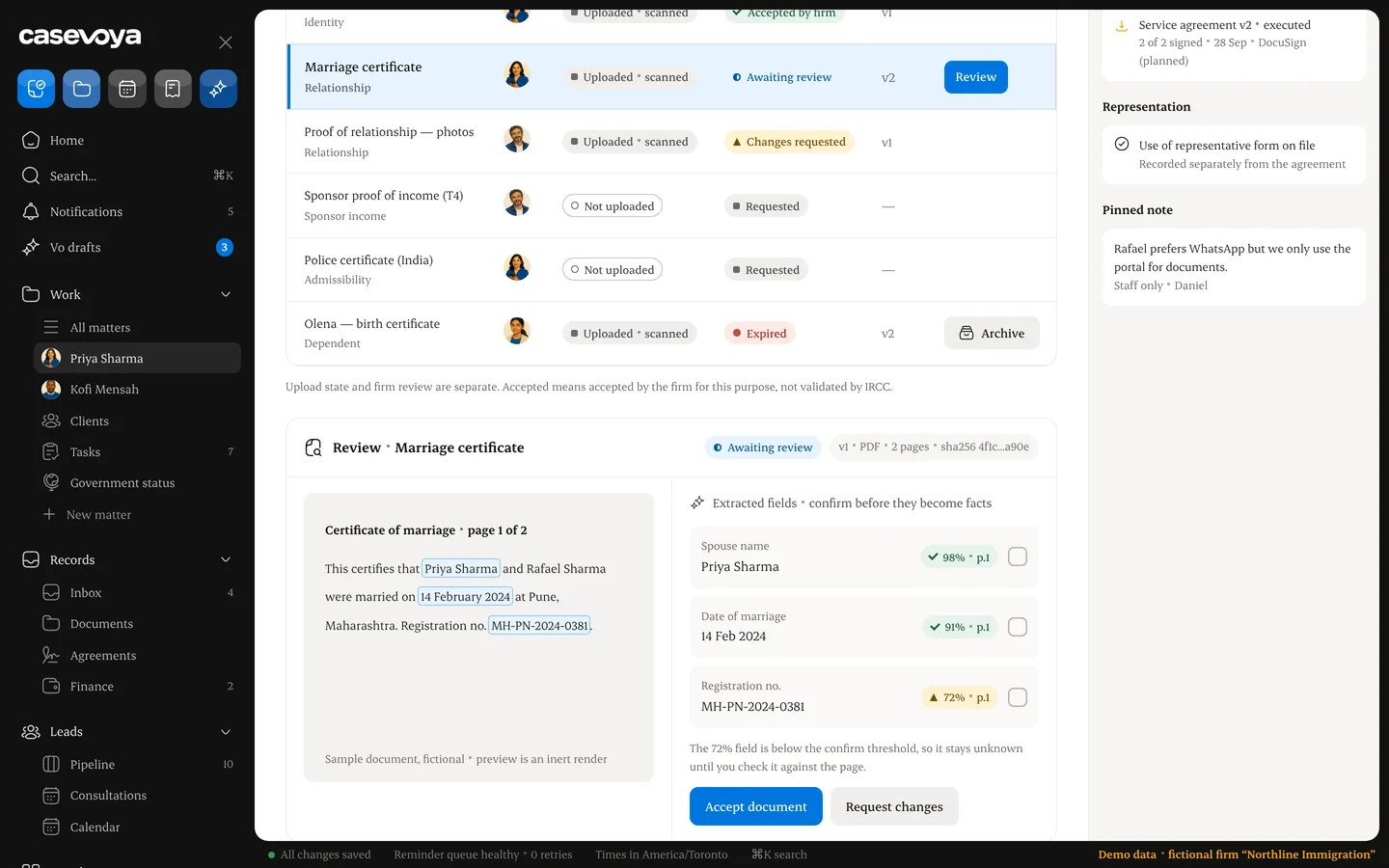
- DocumentsRequest, review, accept.Ask for a passport copy, accept it or ask for changes.
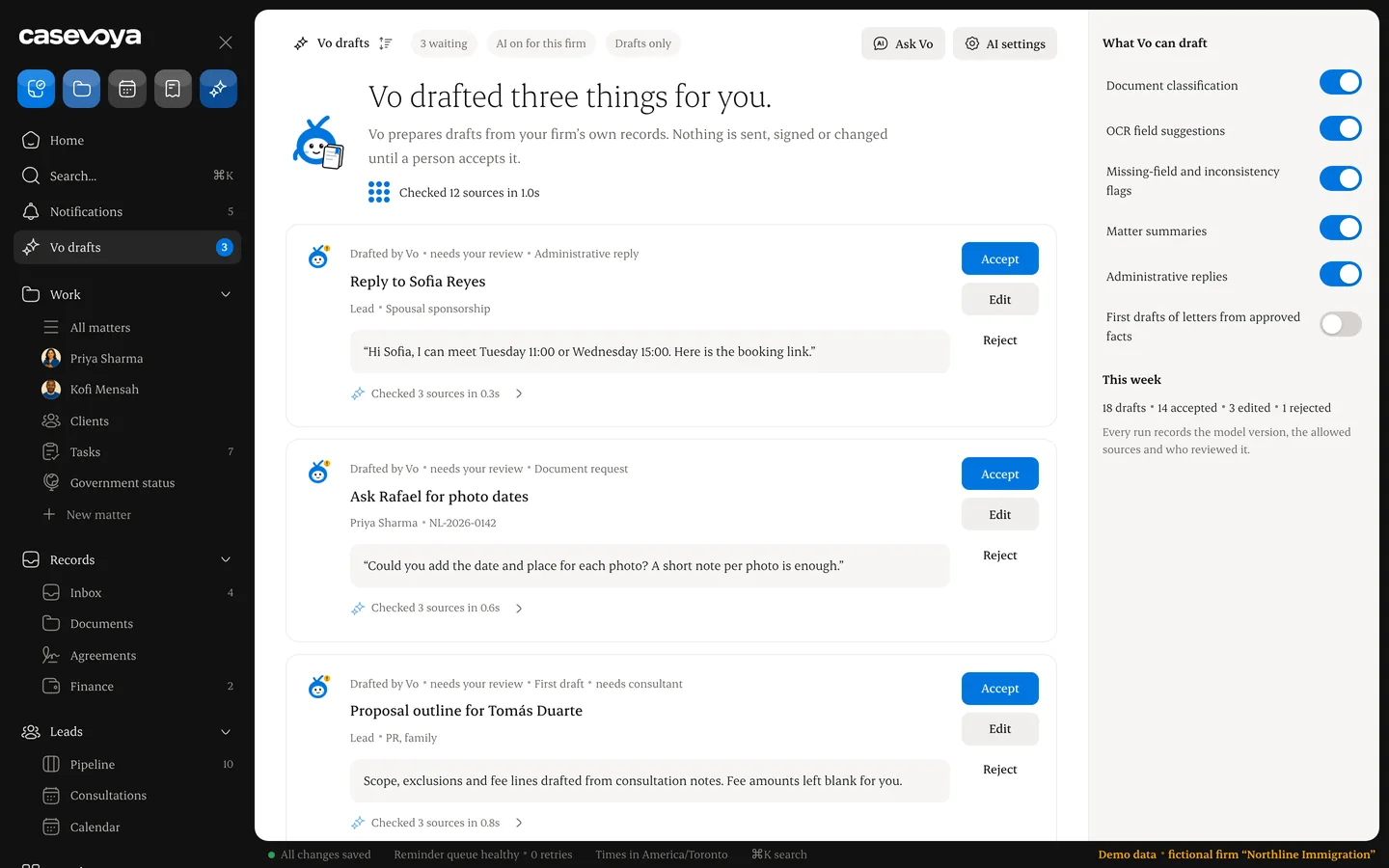
- AI assist, optionalSuggestions you approve.OCR with confidence and source pages. Drafts only.
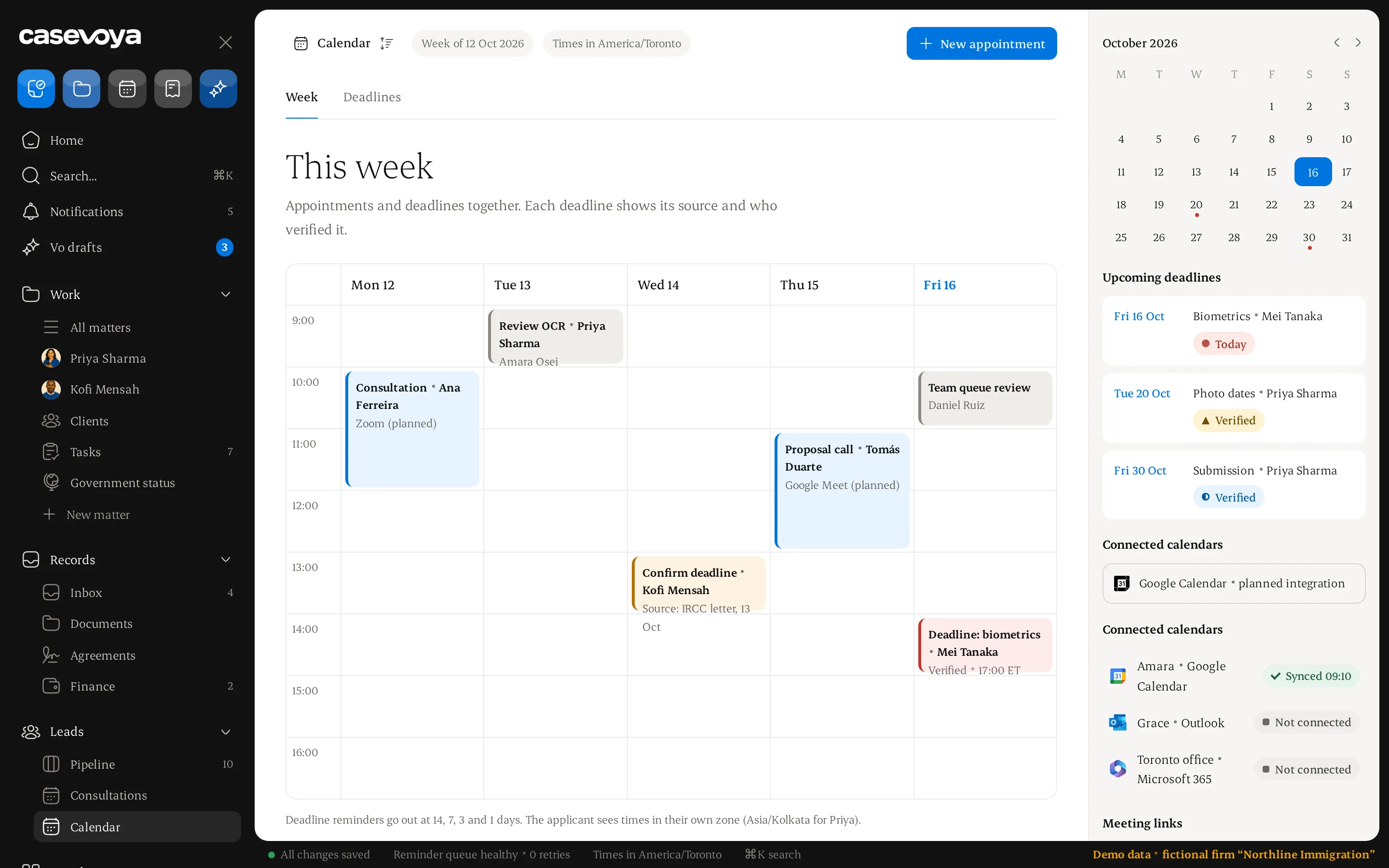
- DeadlinesReminders at 14, 7, 3 and 1 days.Every file has a next date and an owner.
- Matter fileEverything on one sheet.Documents, tasks, invoices and history together.
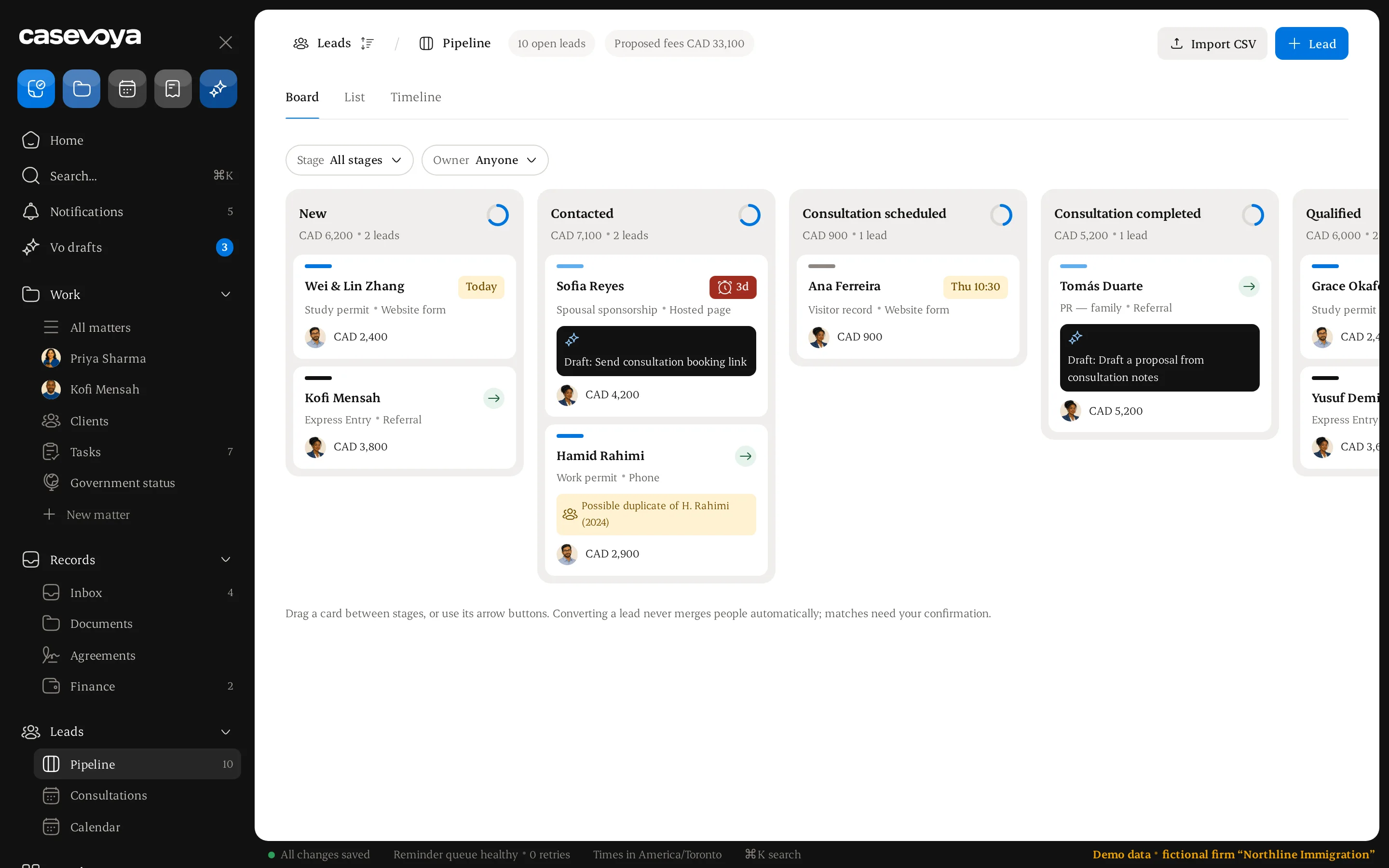
- PipelineEvery lead, every stage.Drag a card when a consultation is booked.
Six tools, one client file.
01Client intake
Web intake forms create the client file and the retainer agreement, ready to sign online.
02Document collection
Request documents like a passport copy or proof of funds. Clients upload in the portal; your team accepts or asks for changes.
03Deadlines and tasks
Every file has a next date and an owner. Nothing sits in someone's inbox.
04Invoices and payments
Invoice from the file and accept online payment. Clients see what they owe and what they have paid.
05Team case queue
One shared list of what needs attention today, sorted by due date.
06A complete record
Every request, upload, review and payment is logged with who did it and when.
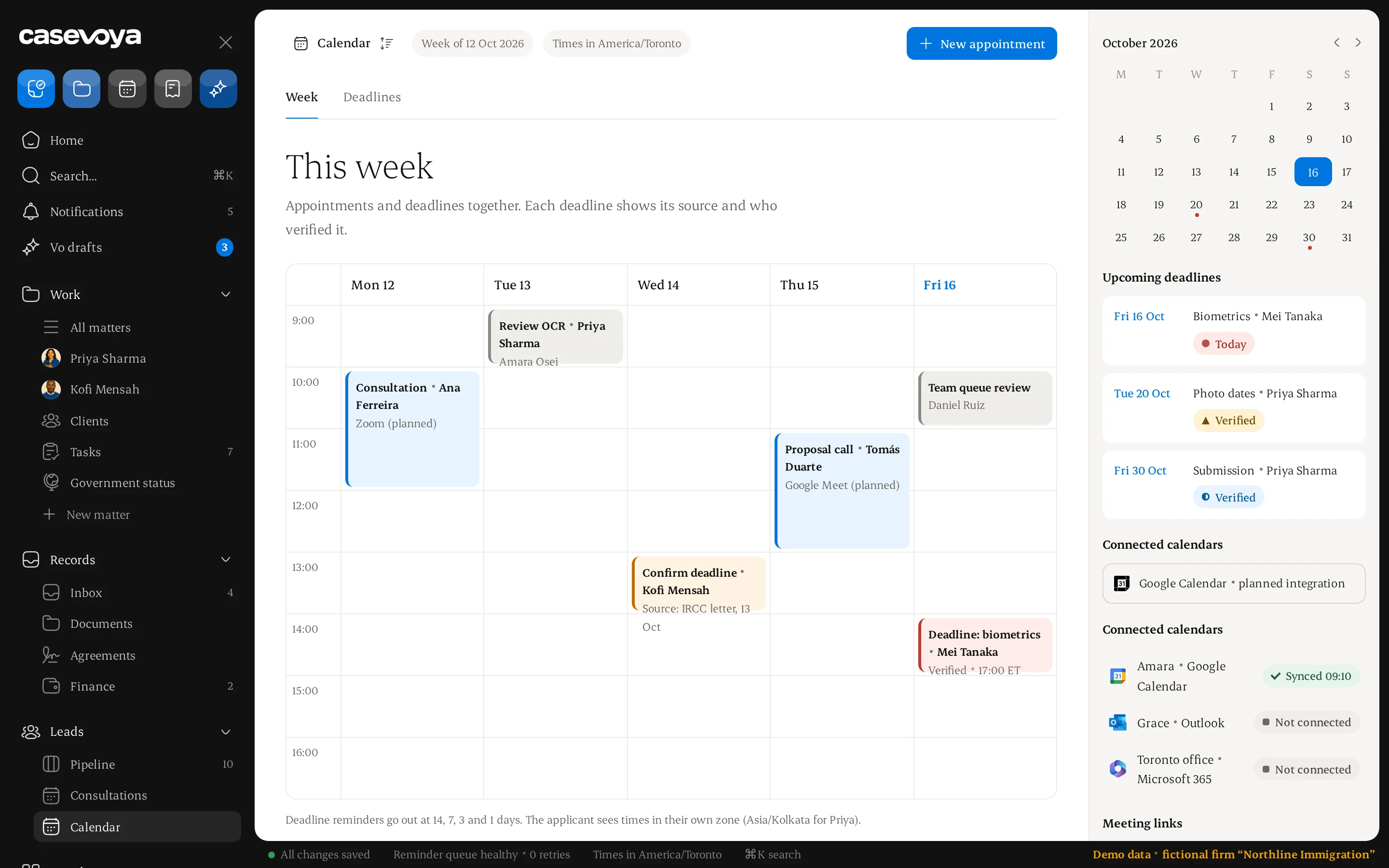
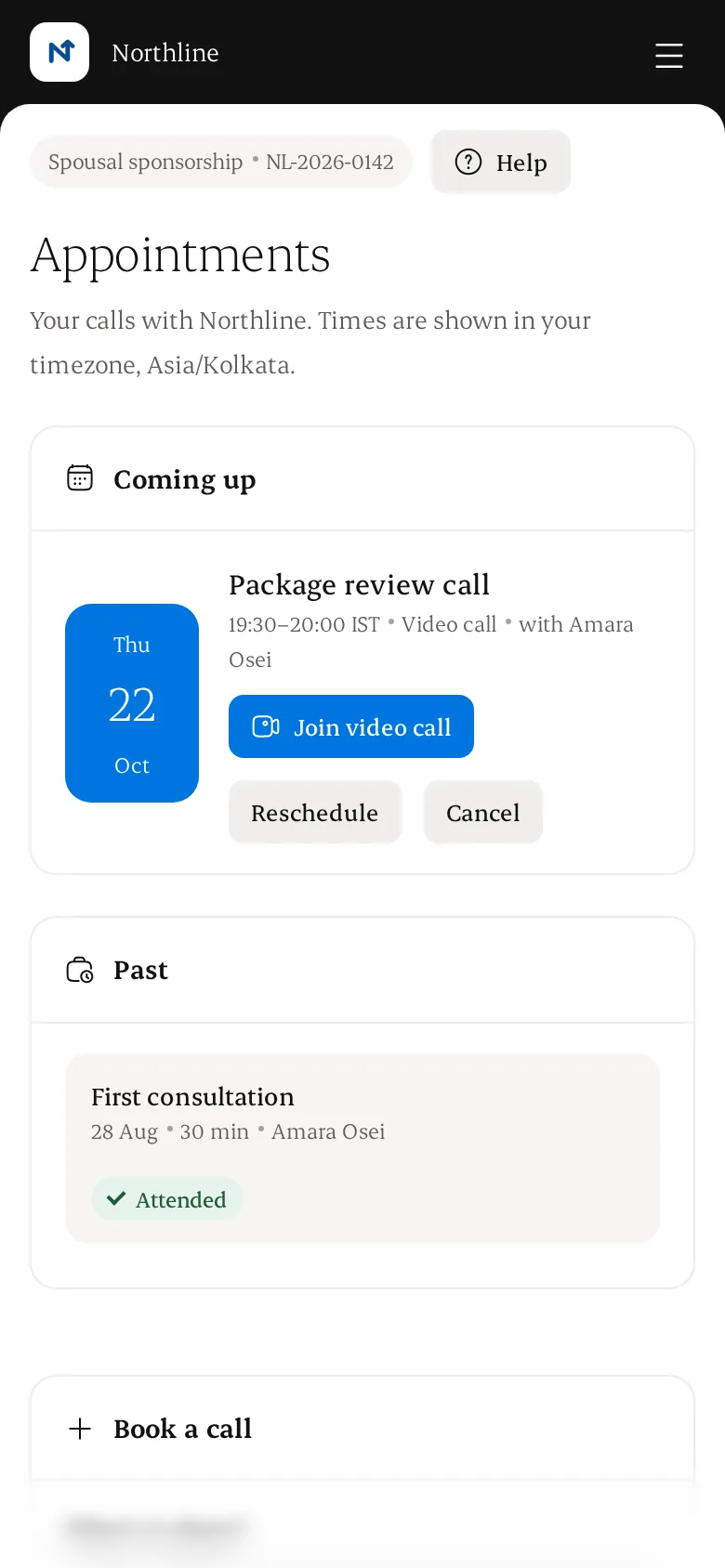
Calendar and appointments.
Appointments and deadlines on one calendar. Clients book, reschedule or cancel from the portal, and see times in their own time zone.
- Staff availability, duration, buffers and capacity
- Rescheduling, cancellation, meeting links and no-show status
- Connect only the Google or Microsoft calendars you select
- The same slot is never booked twice
Illustrative data.
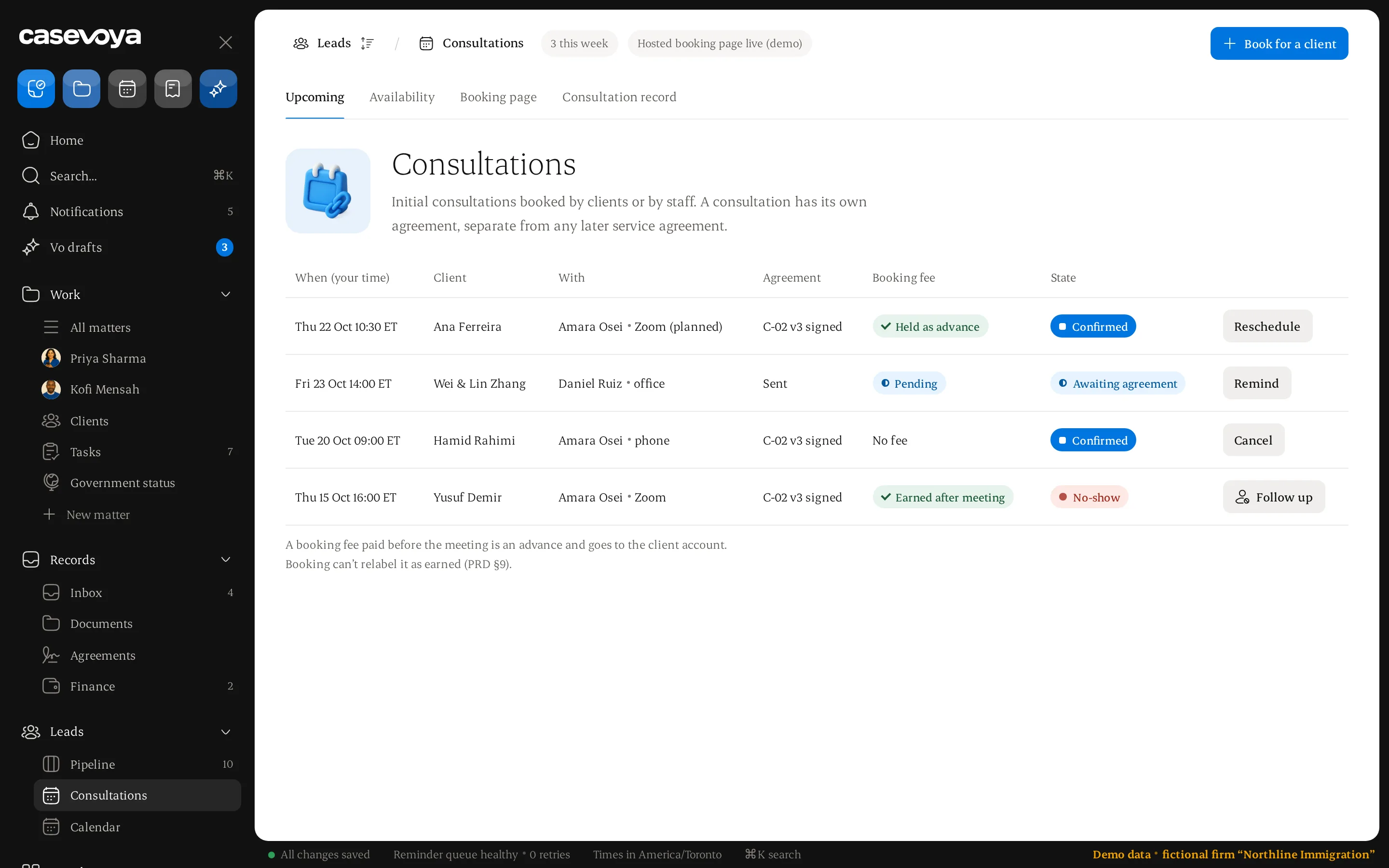
Consultations, on the record.
Consultations booked by clients or staff, each with its own agreement, reminders, recorded notes and a consultant-reviewed outcome.
A consultation agreement, separate from the service agreement
Booking fees follow the advance-payment controls
Attended, rescheduled or no-show, recorded
Illustrative data.
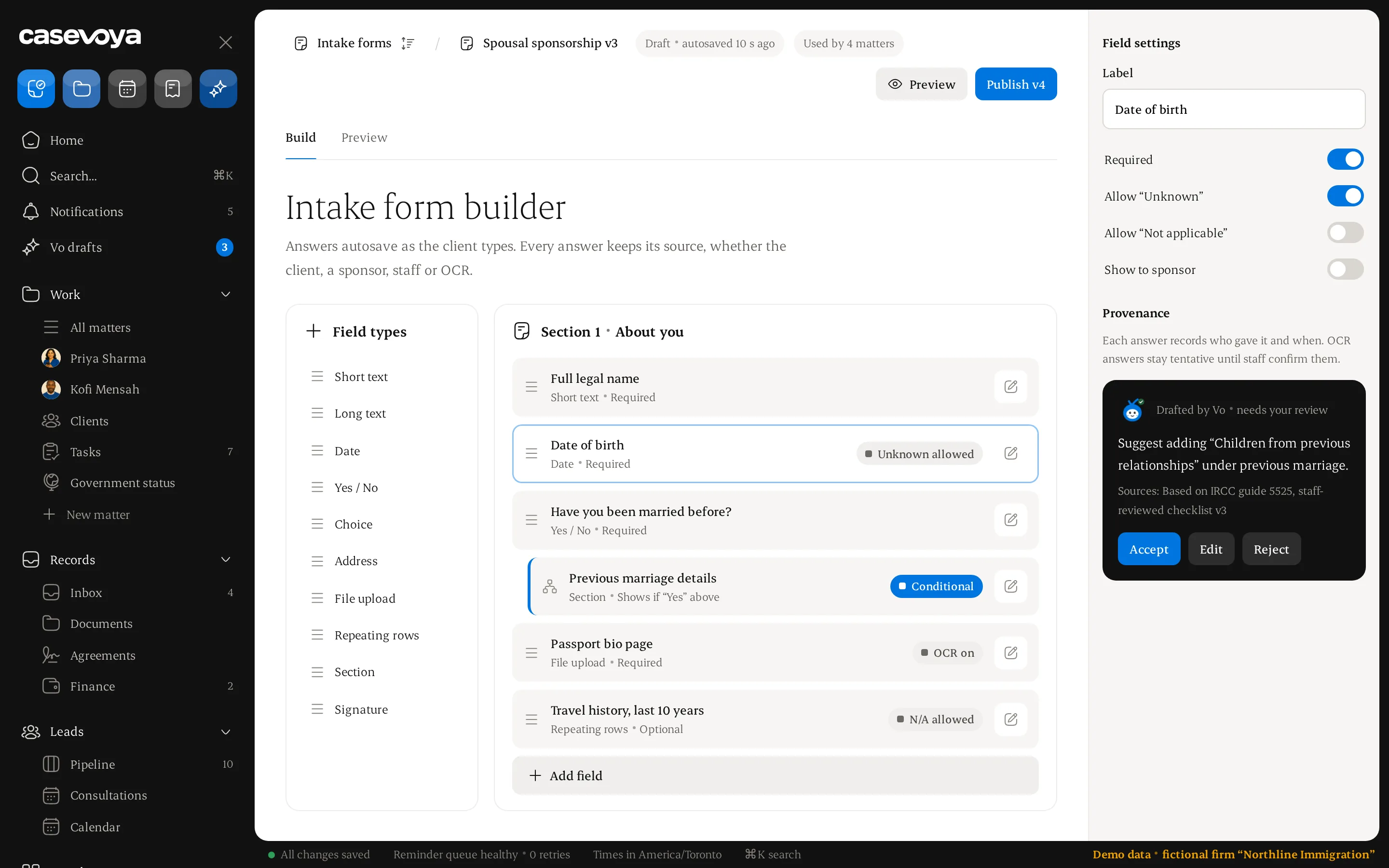
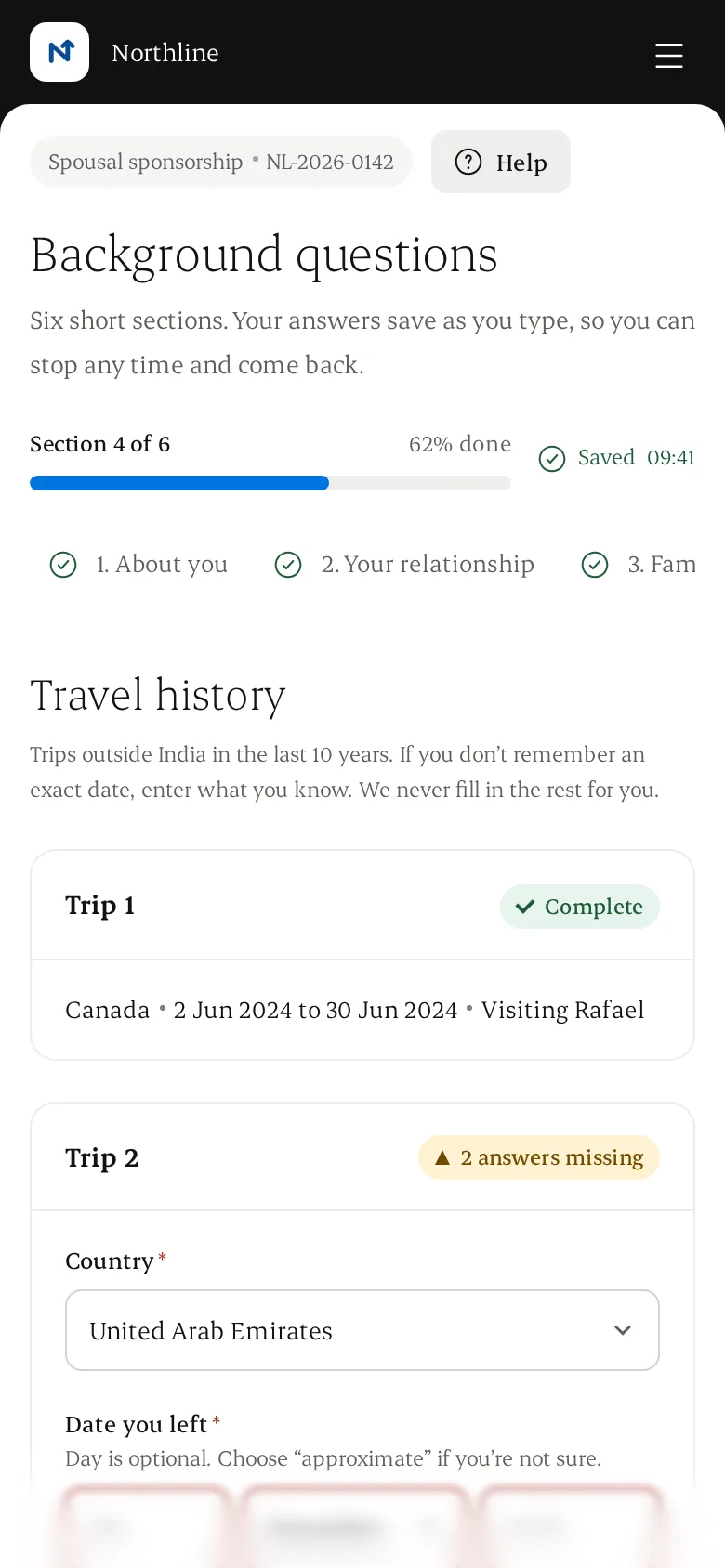
Intake that saves as you go.
Build versioned forms with conditional sections, repeatable histories and English and French labels. Clients can stop and come back; nothing is lost.
- A question becomes required only when its rule applies
- Unknown, not applicable and approximate dates stay distinct
- Every material fact keeps its source and review state
- Gaps and conflicting dates are flagged for review, not judged
Illustrative data.
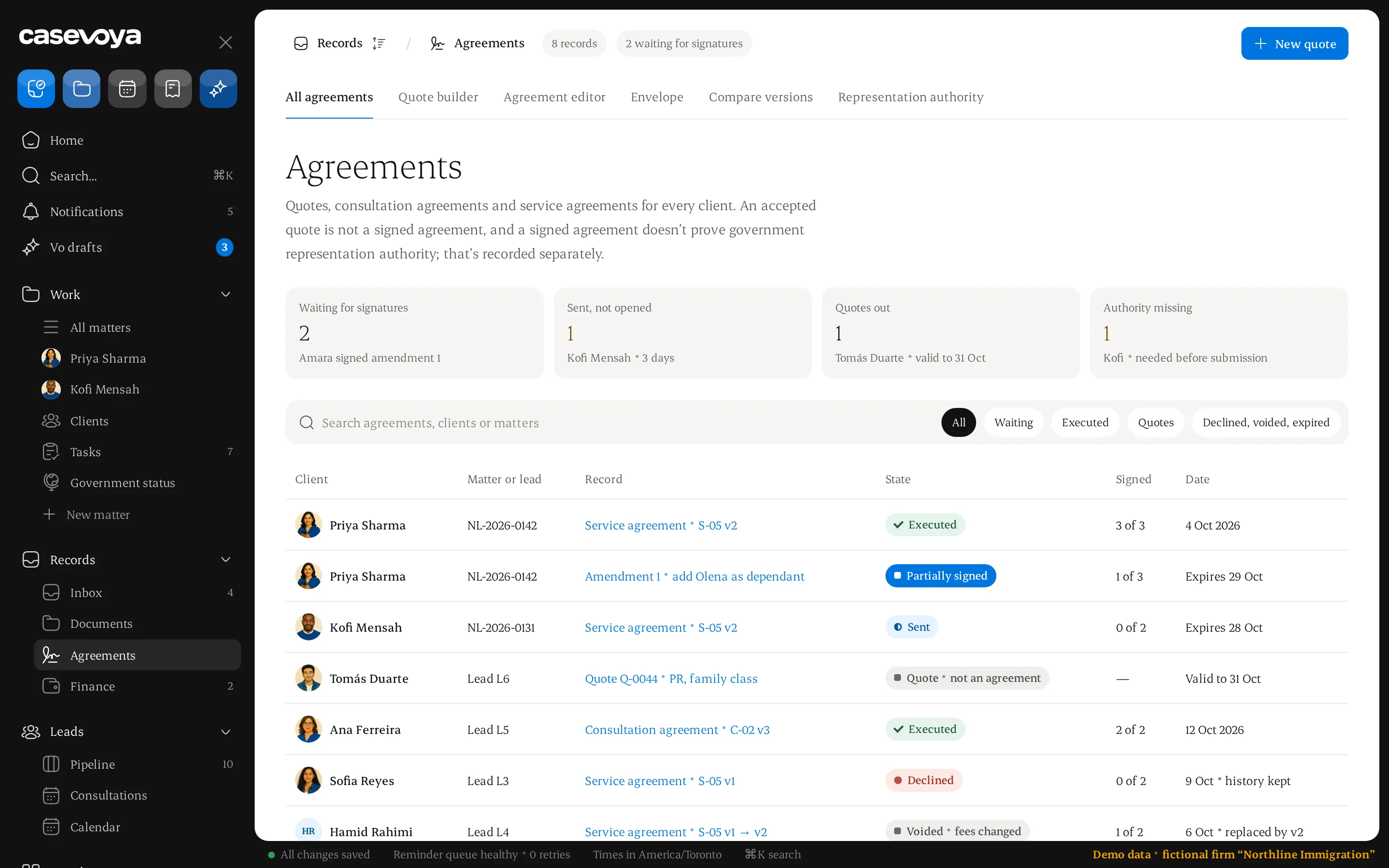
Agreements, signed in order.
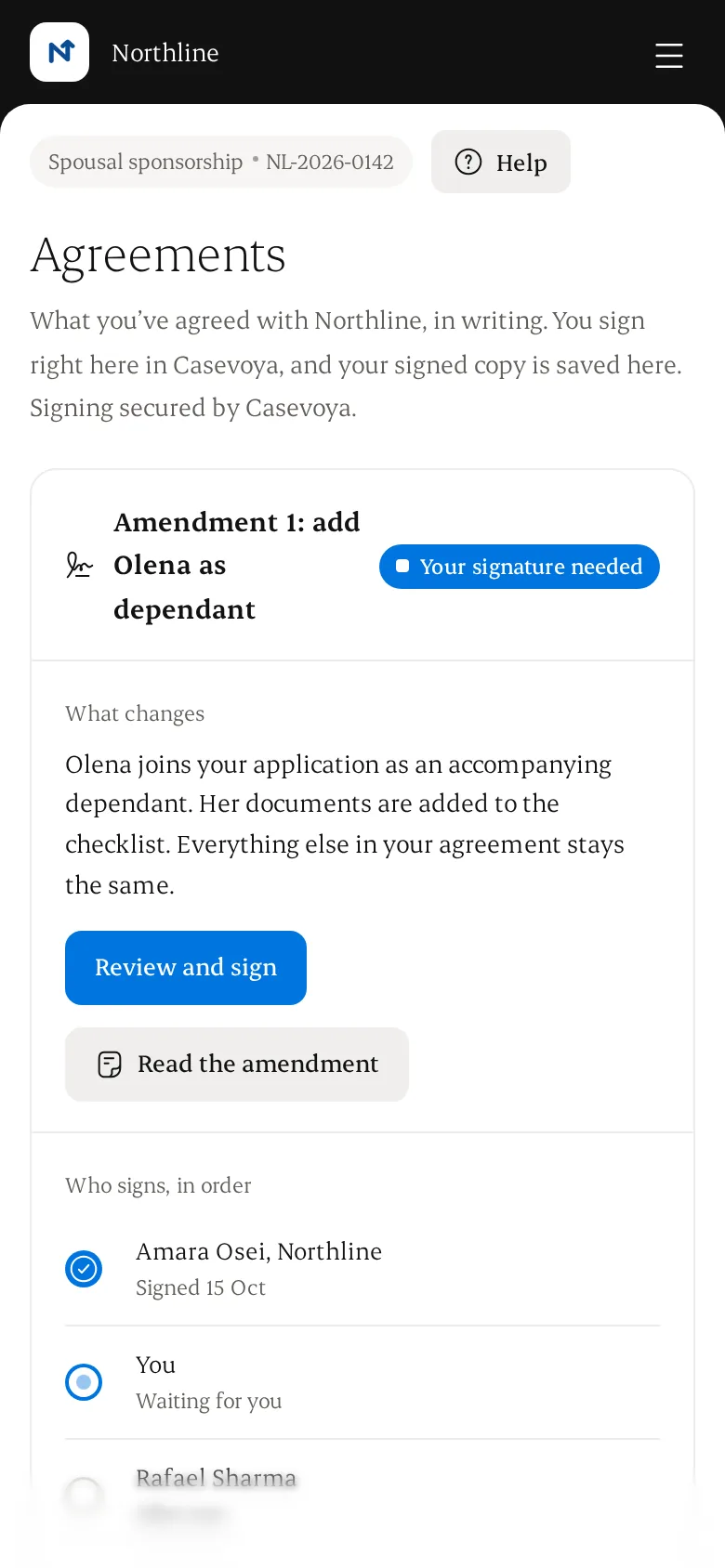
Quotes and agreements come from approved templates. Each signer gets the agreement in turn, and every party can open the exact version they signed.
- Multiple signers, signing order and delivery evidence
- Changing fees after a signature starts a new version
- Amendments show what changed and collect new signatures
- Representation authority is recorded separately
Illustrative data.
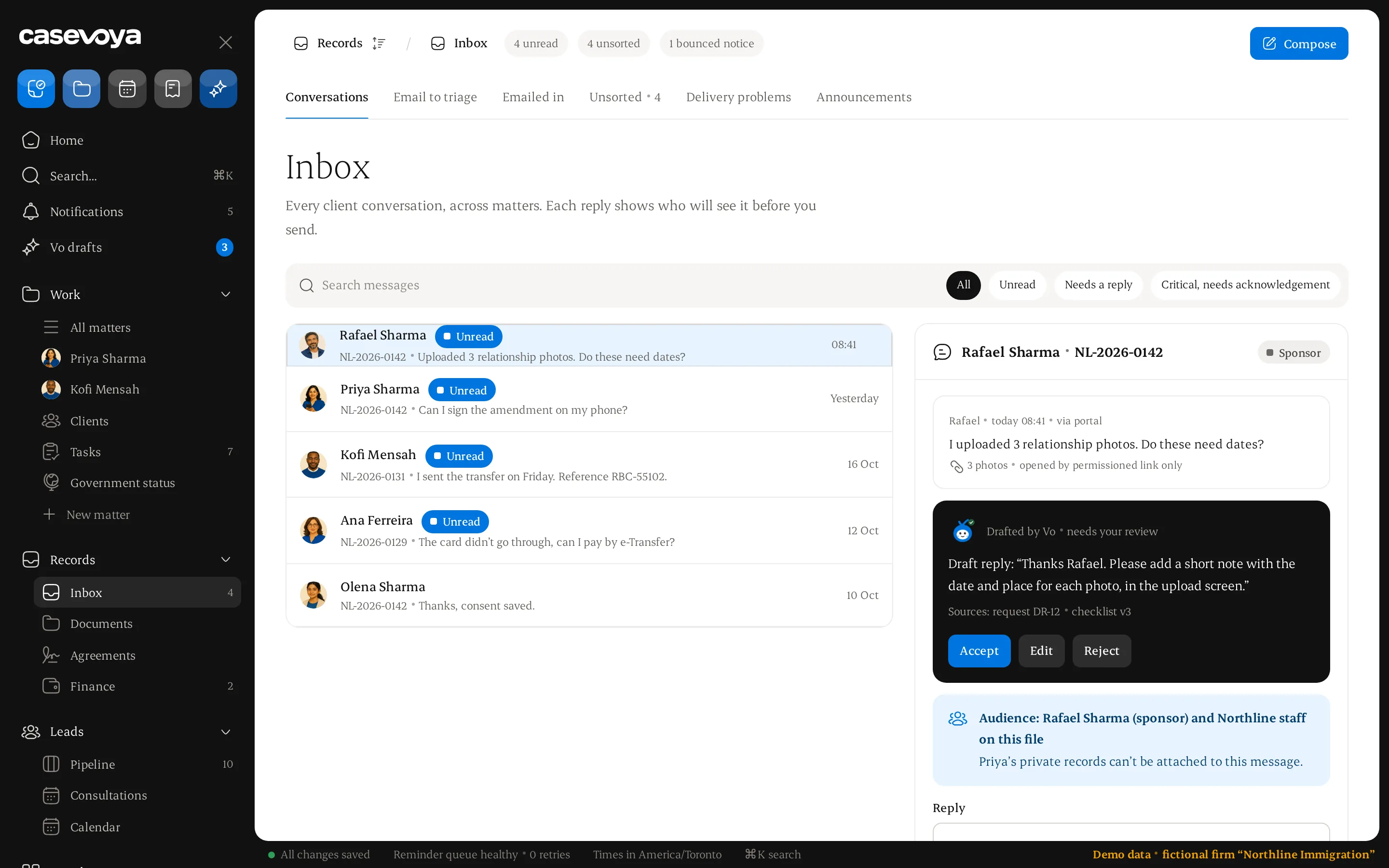
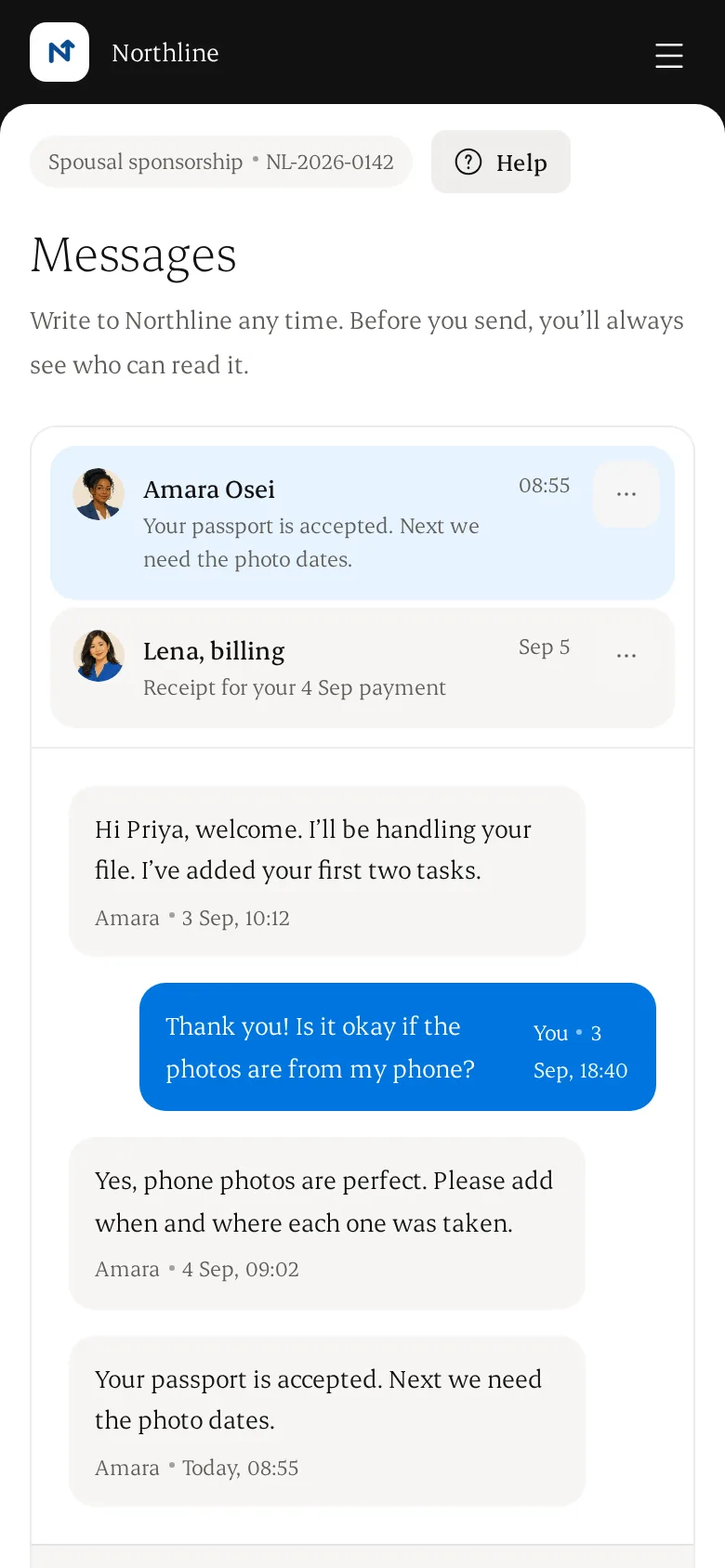
One inbox for every client.
Secure matter messaging with staff-only notes and message templates. Before anything is sent, Casevoya shows exactly who will read it.
- Unread status and acknowledgements for critical instructions
- Gmail and Outlook import, with a preview and a triage queue
- Notifications carry a portal link, never passport numbers
- A message to an employer cannot include the applicant's private file
Illustrative data.
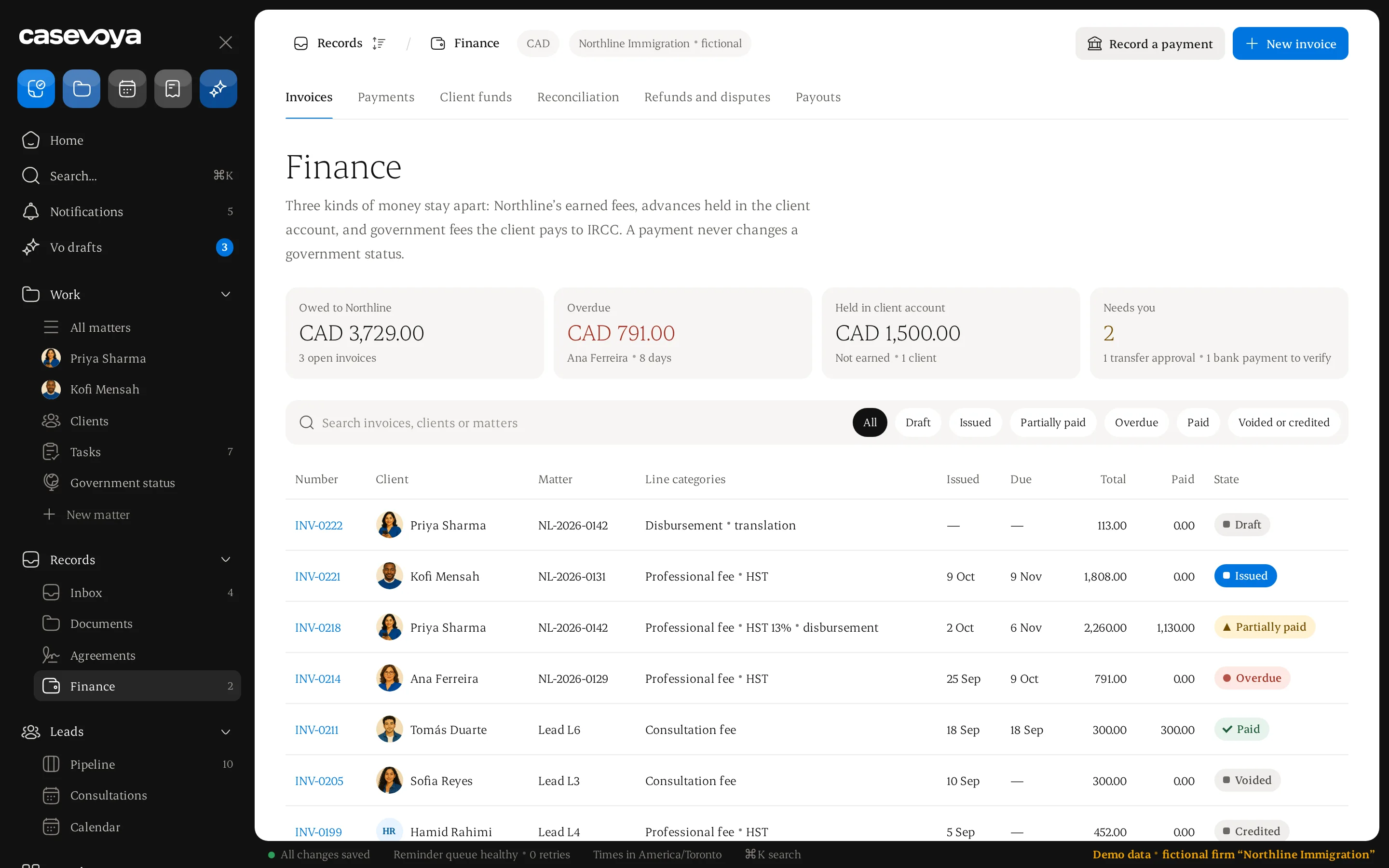
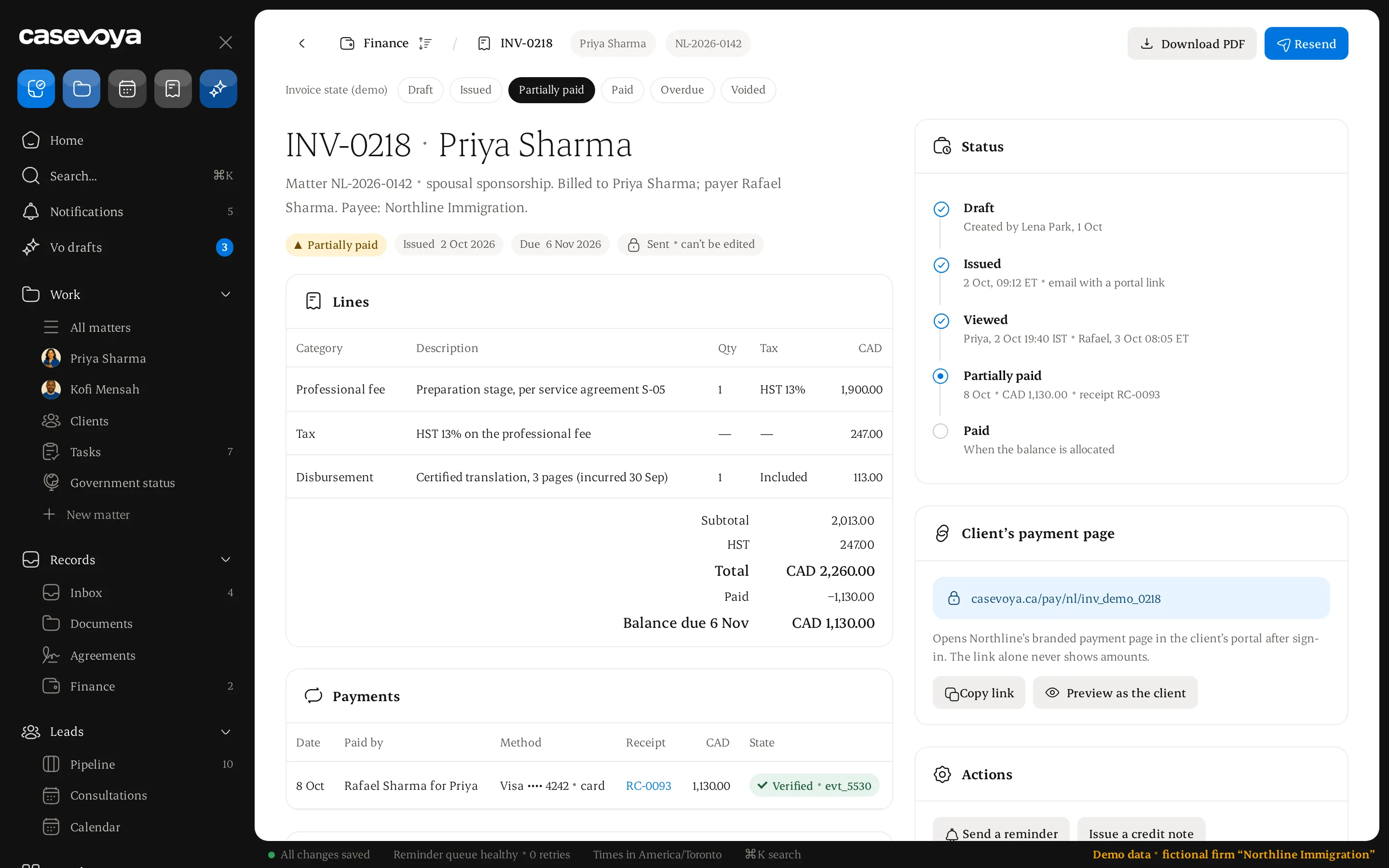
Invoices that add up.
Invoice from the matter in CAD, with taxes, disbursements and instalments. Payment status comes from real allocations, never typed in by hand.
Flat, hourly, milestone and instalment billing
Client-account funds kept apart from earned fees
A browser redirect is never treated as proof of payment
Monthly three-way reconciliation
Illustrative data.
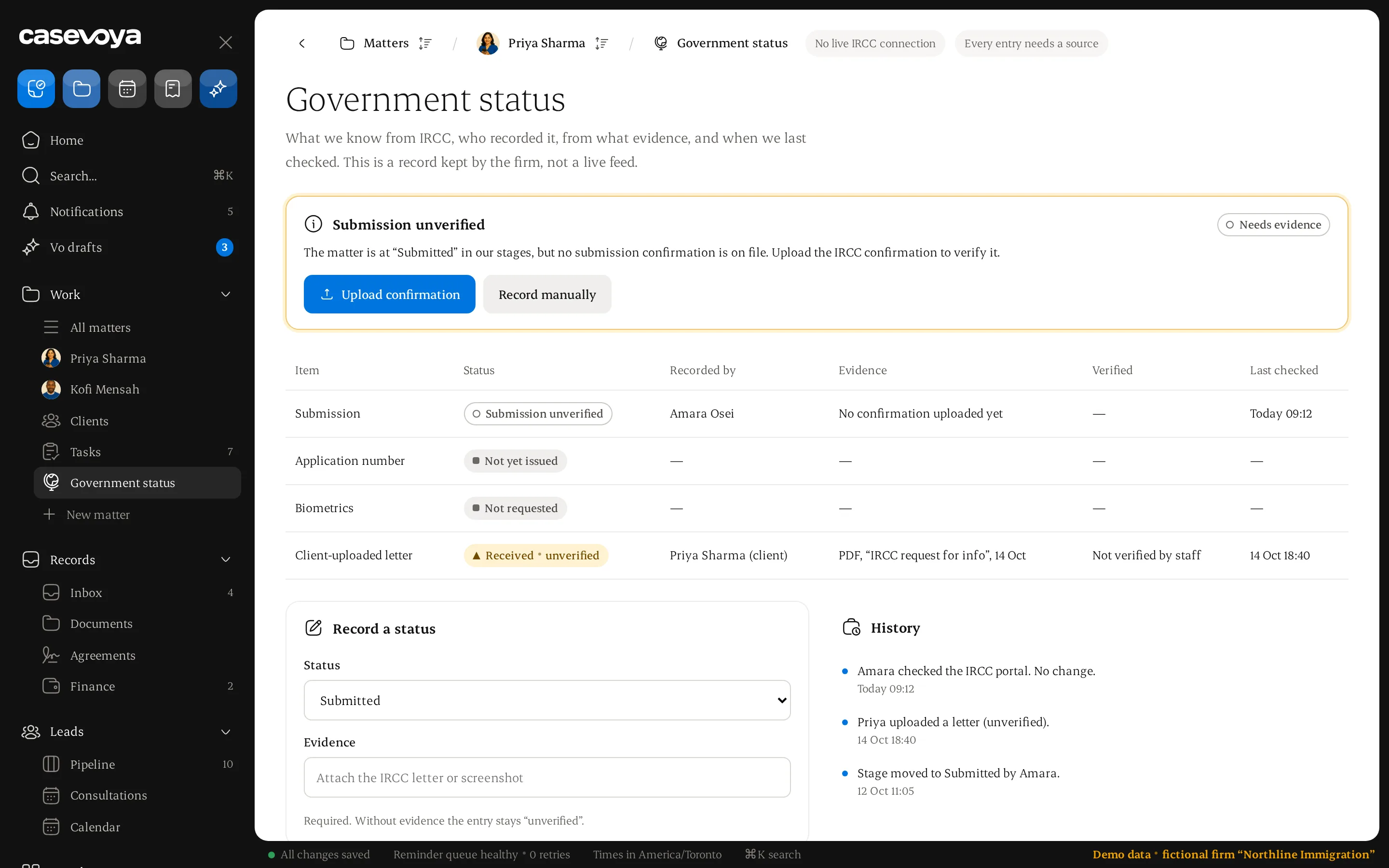
Government handoff, with evidence.
Your representative submits through the official channel. Casevoya records what was sent, when and by whom, and shows a status only when there is evidence for it.
Submission unverified until confirmation is uploaded
One letter can create tasks for several people
Every status shows who recorded it and when it was checked
No automatic government sync is claimed
Illustrative data.
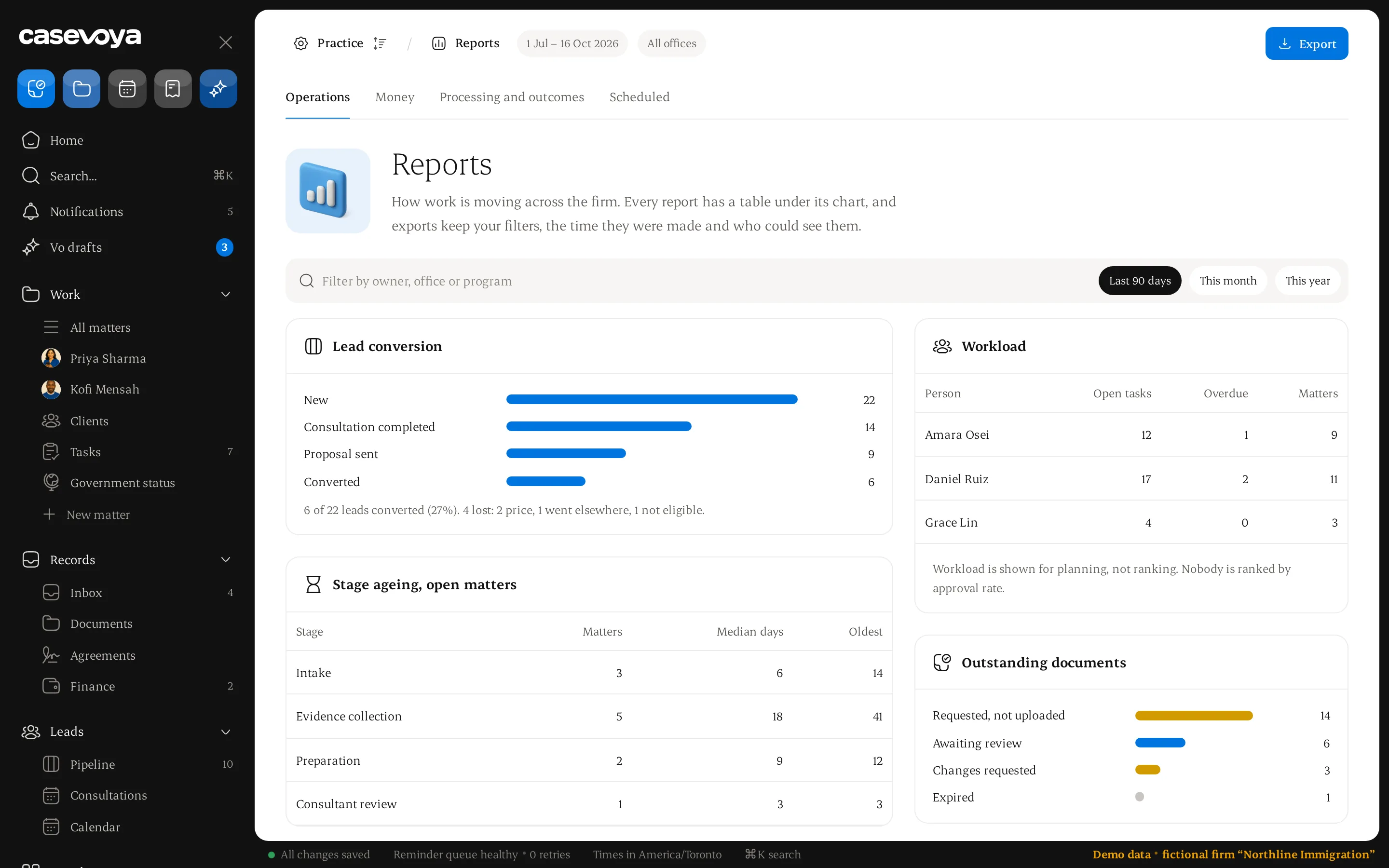
Reports you can act on.
See how work moves across the firm. Every chart has a table beneath it, and exports keep their filters, the time they were made and who could see them.
Lead conversion and consultation attendance
Stage ageing, workload and outstanding documents
Invoiced and collected fees, receivables and client-account balances
Workload is for planning, never ranking staff by approval rate
Illustrative data.
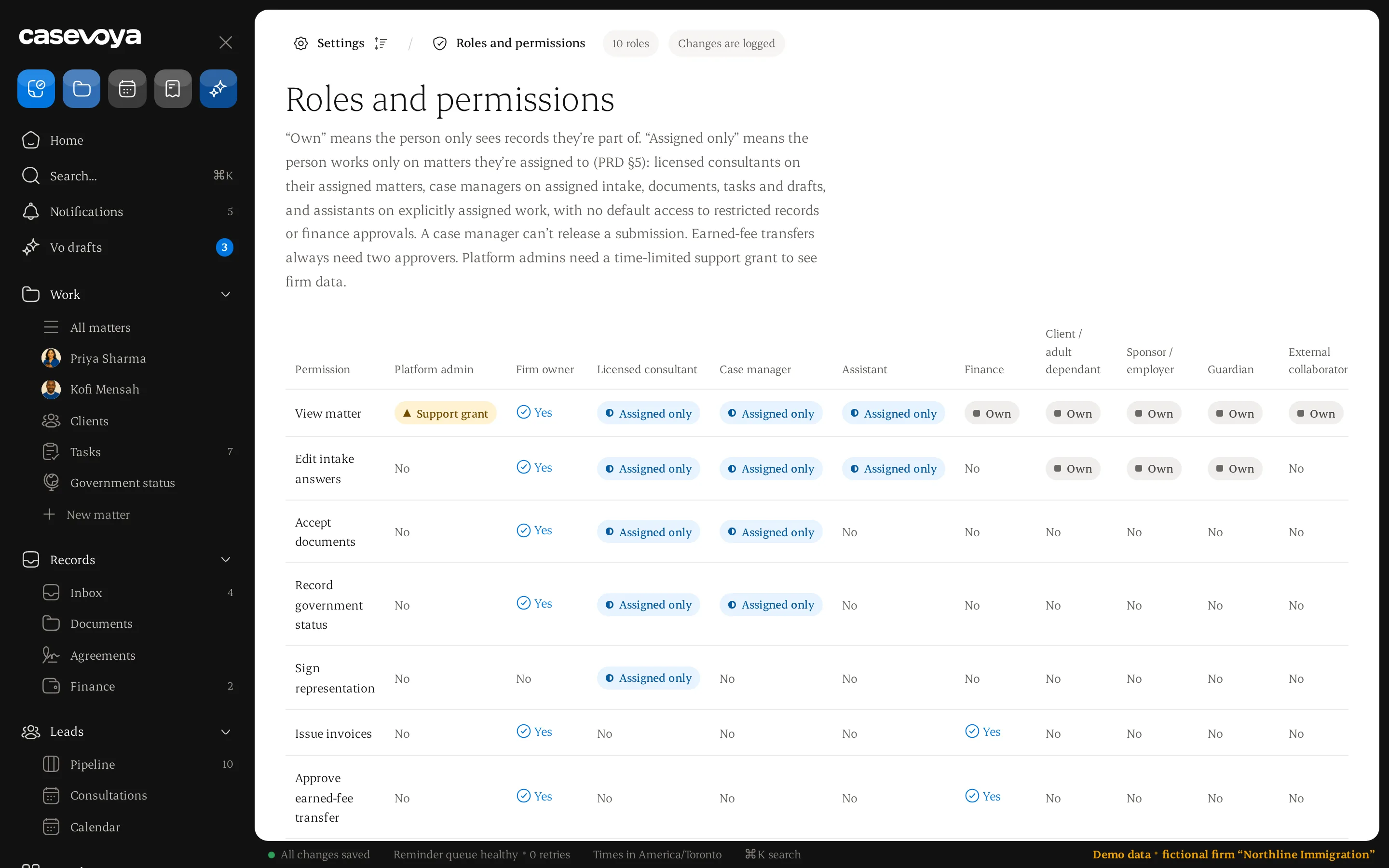
Roles that match the practice.
Access combines role, matter assignment and document audience. A finance user sees invoices, not medical or criminal-history records.
Owner, consultant, case manager, assistant and finance roles
Clients, sponsors, guardians and collaborators see only what is theirs
Support access is time-limited and granted by your firm
Illustrative data.
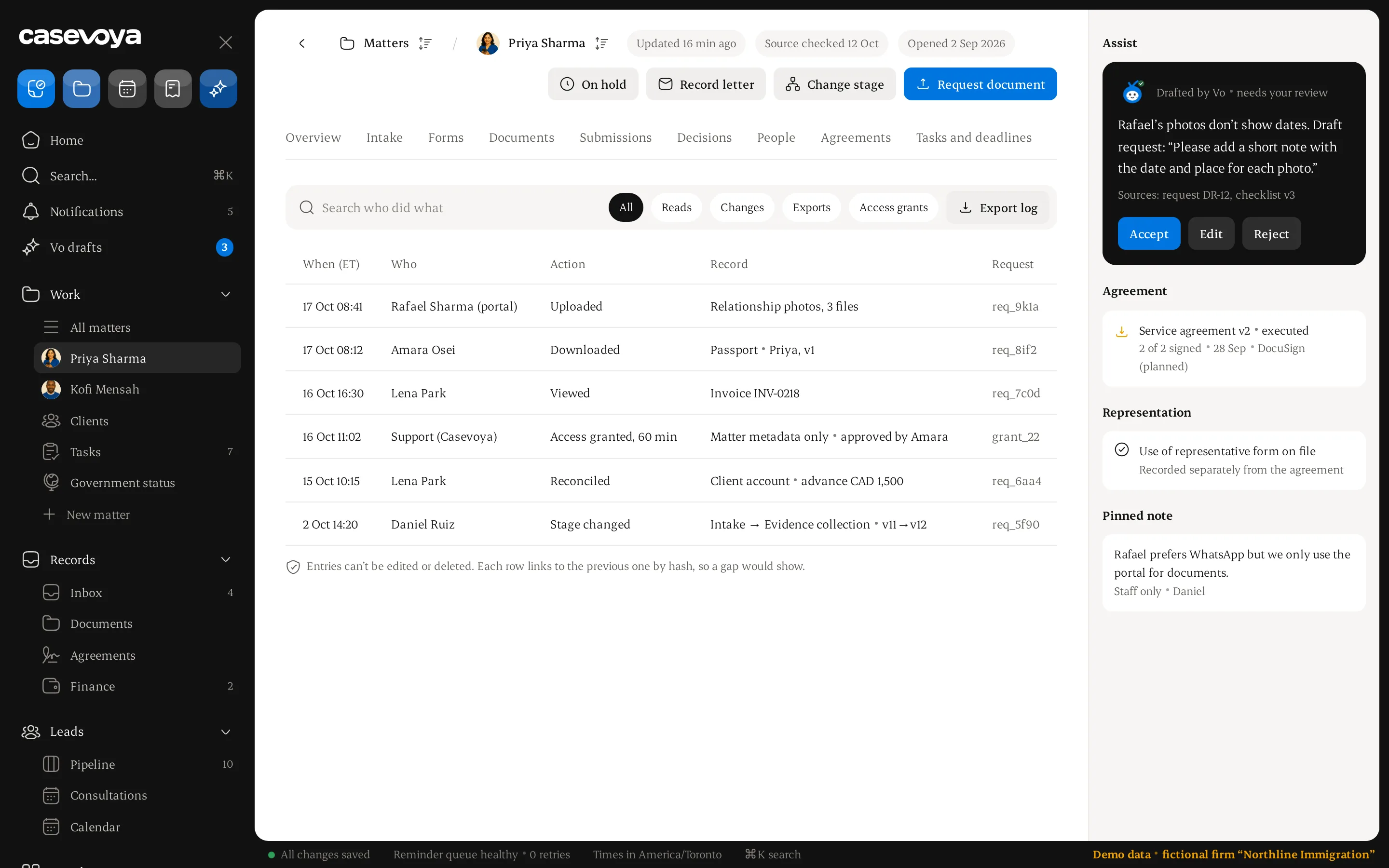
An audit trail on every file.
Views of sensitive records, downloads, exports, changes and signatures are recorded with who, what and when. Entries cannot be edited or deleted.
Actor, action, time and result for each entry
Full sensitive values are never copied into the log
Export the log for a review
Illustrative data.
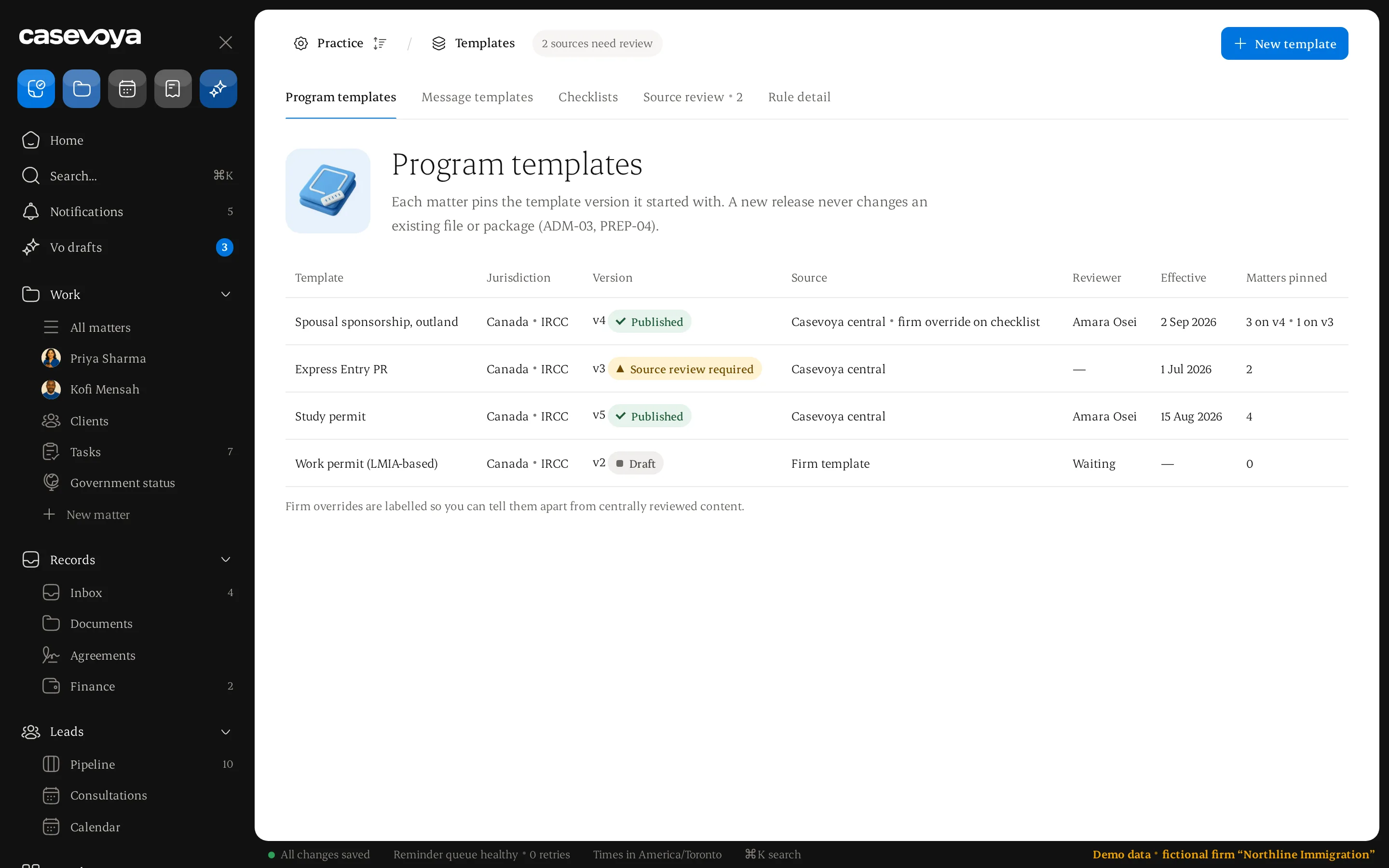
Templates with a reviewer.
Program templates carry a licensed reviewer, an effective date and a changelog. Existing matters keep the version they started with.
Intake packs, checklists and message templates
Firm overrides stay distinct from reviewed content
A new release never changes an existing package
Illustrative data.
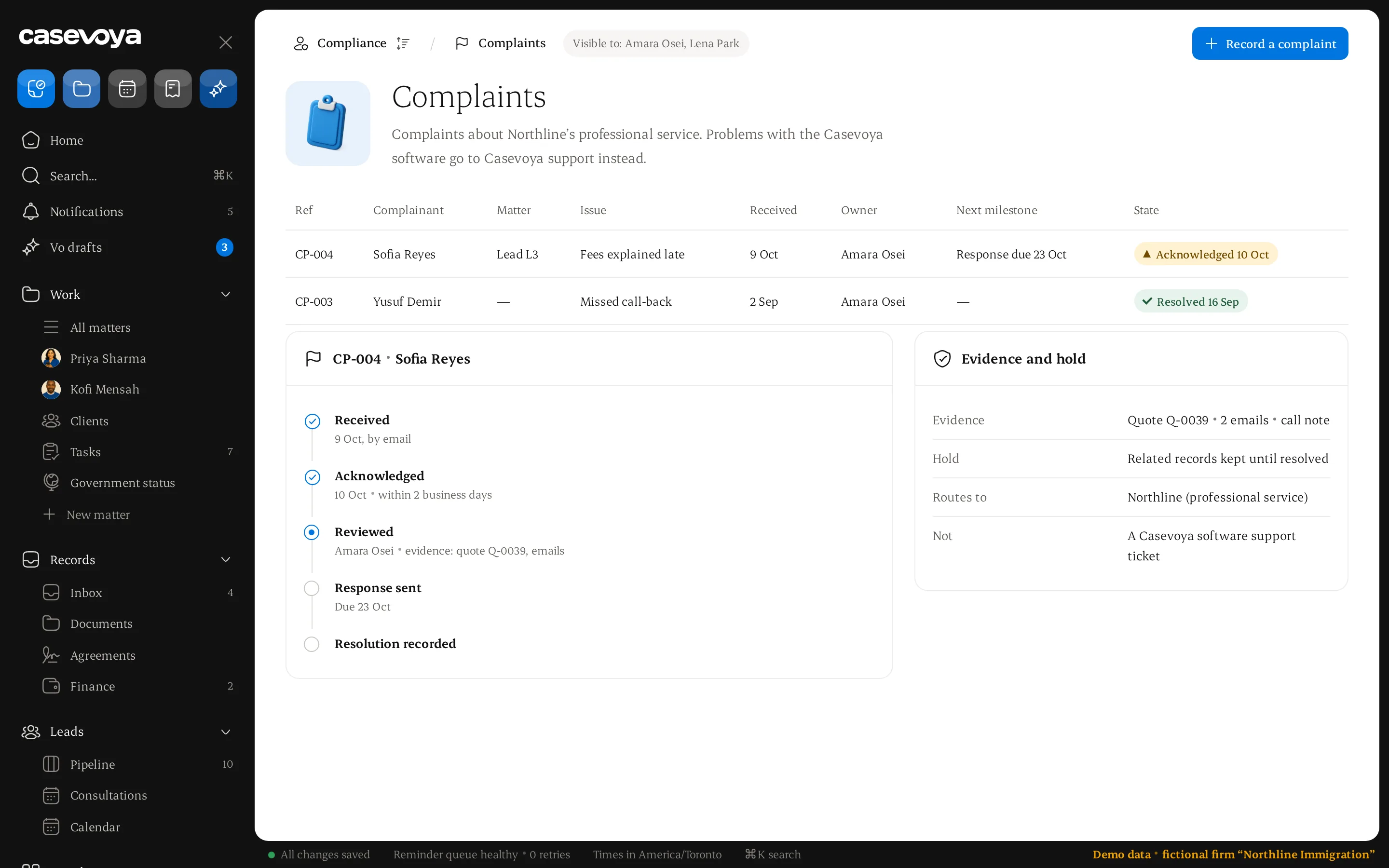
Complaints, handled properly.
A separate register for complaints about your professional service, with an owner, acknowledgement, review milestones and resolution.
Visible only to designated staff
Kept apart from software support tickets
Evidence held when required
Illustrative data.
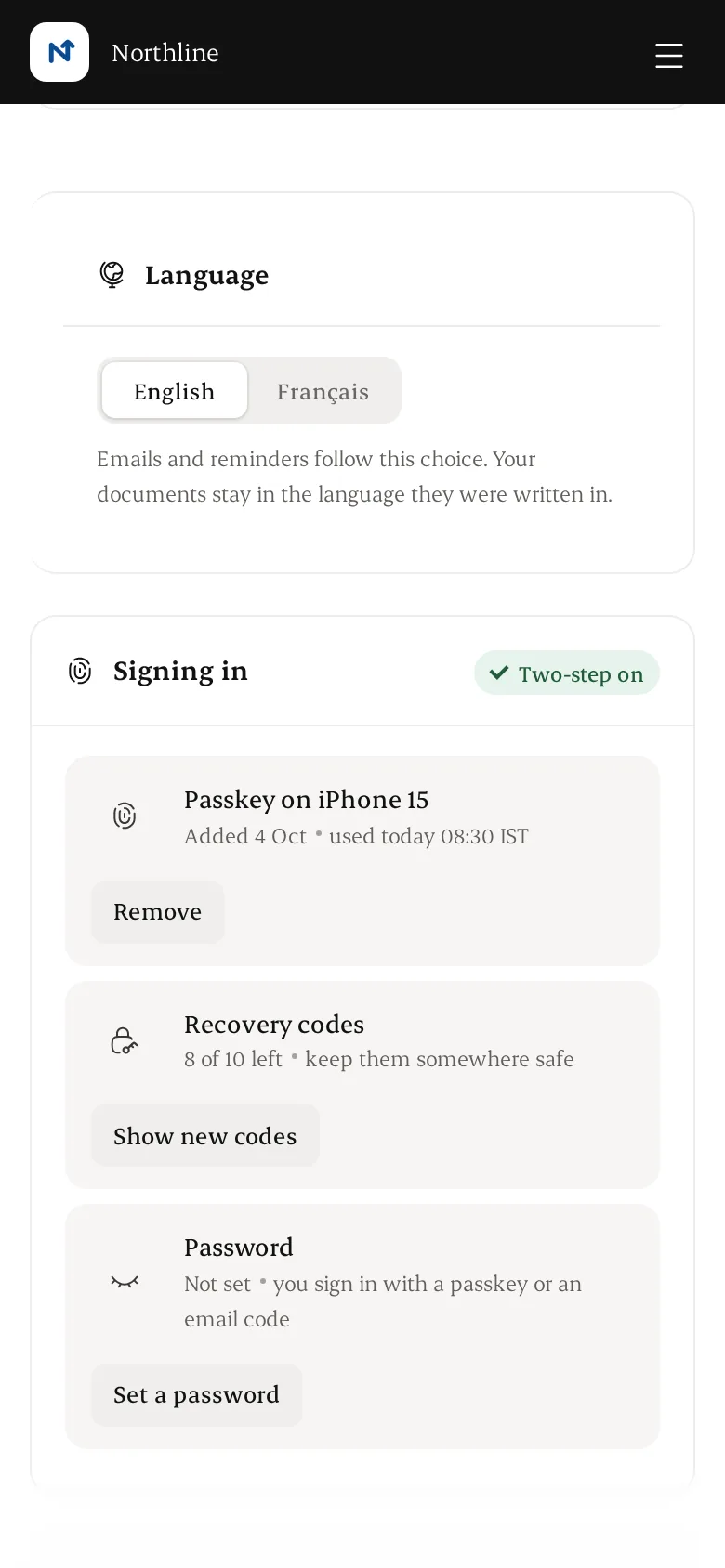
English and French.
The portal and the workspace launch in both languages. Each person chooses their language and time zone, and emails follow that choice.
Language and time zone saved per person
Translated professional templates are reviewed separately
The client account on a phone. Illustrative data.
Deadlines you can trust.
Every date has a source: the government letter, the agreement or the person who set it. Reminders are proposed, and a person confirms them before anyone is told.
Each deadline linked to the letter it came from
Proposed reminders wait for a person to confirm
The whole team sees what is due this week
Illustrative data.
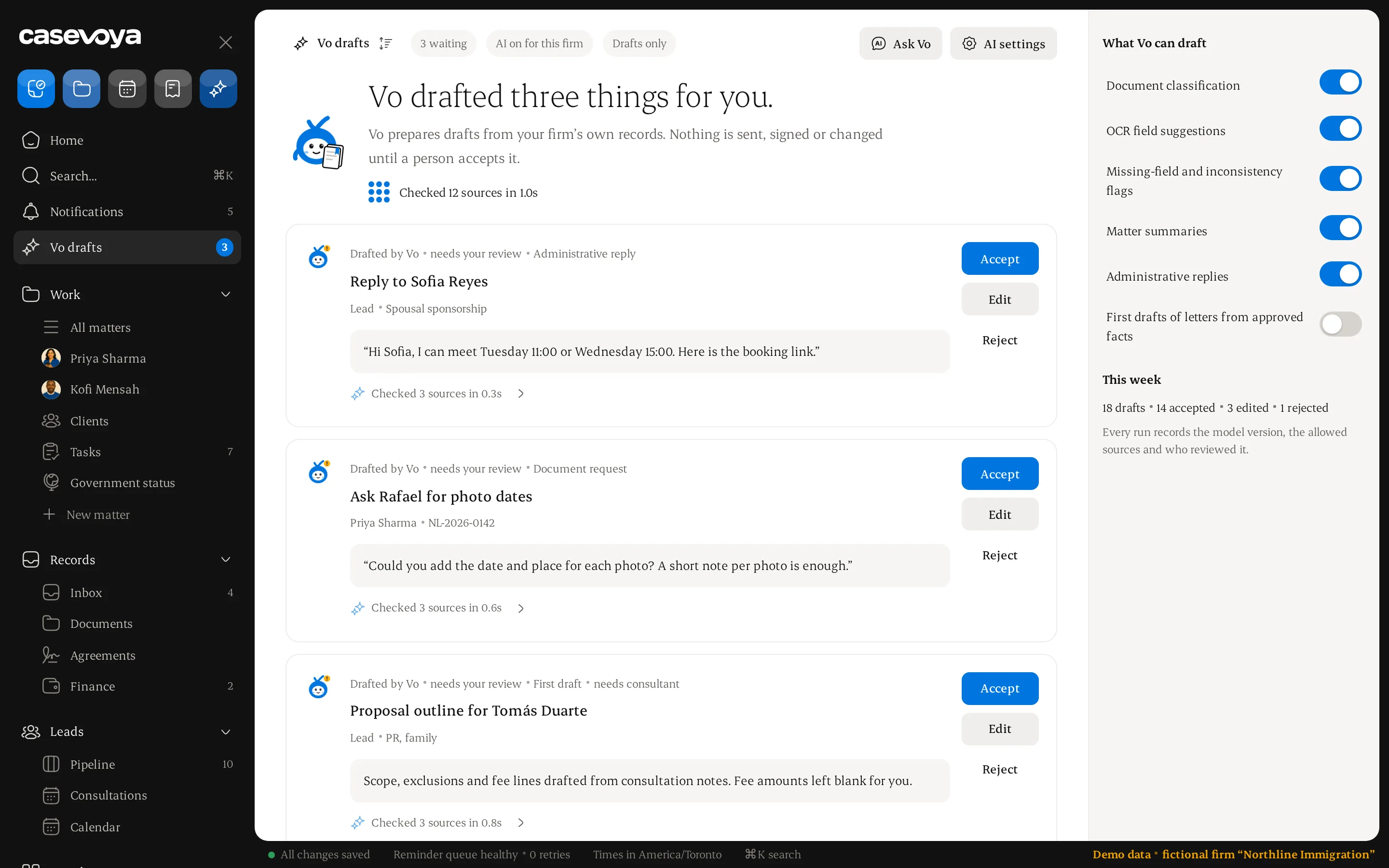
AI drafts.
You decide.
Optional AI and automation. It drafts, flags and reminds; your team accepts, edits or rejects. Switch it off and every workflow still works.
Reminders at 14, 7, 3 and 1 days, with an owner and a stop rule
Reads documents: type, fields, confidence, source page
Flags missing fields and mismatched dates
Drafts summaries and replies. A person accepts, edits or rejects
Vo drafts, a person approves. Illustrative data.
No legal advice, no automatic submissions, nothing sent to government on its own. AI use is logged and fair-use limited.
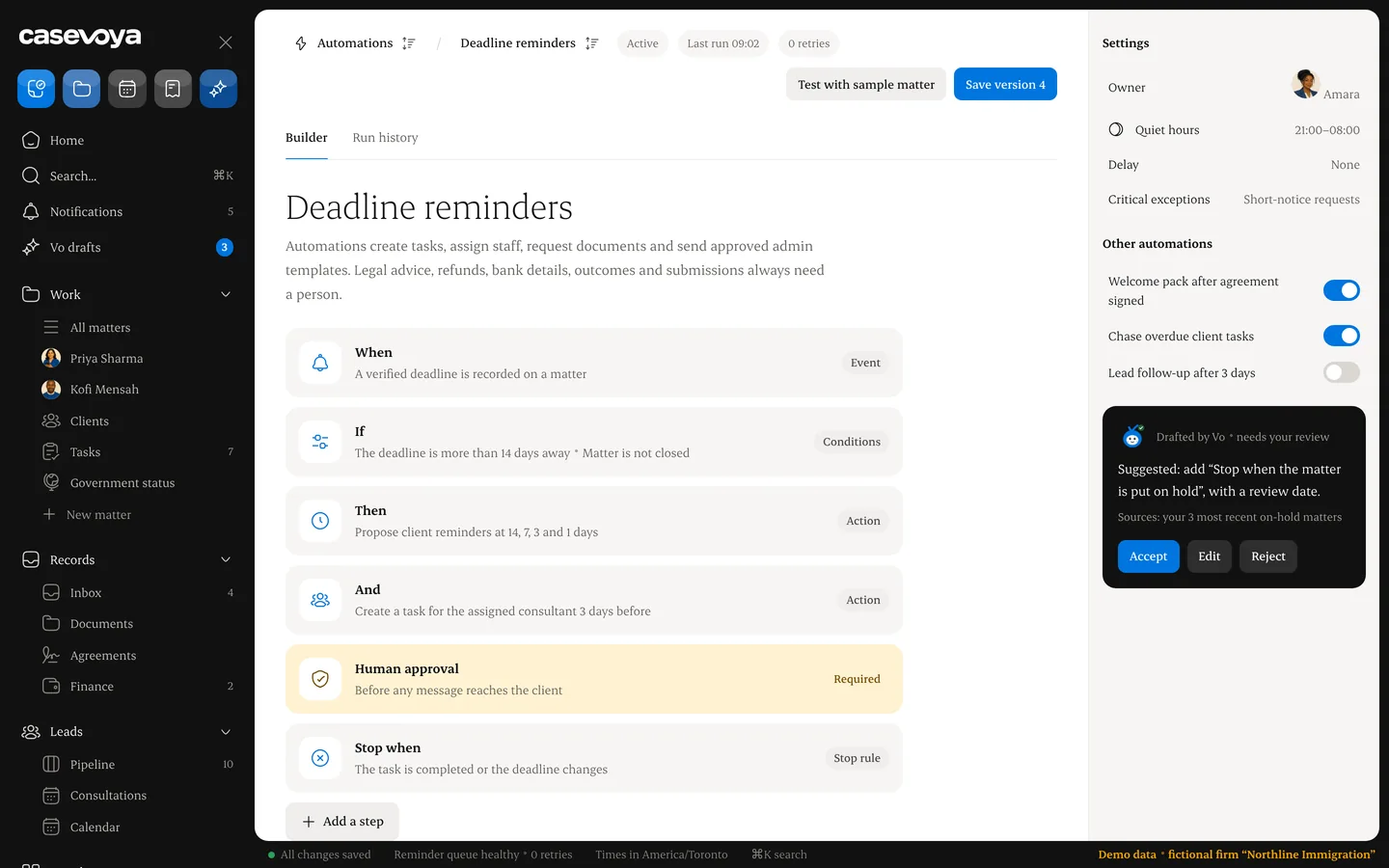
How AI and automation work.
01Automation builder
Each rule has an event, conditions, actions, a delay, an owner and stop rules. Rules create tasks, assign staff, request documents and send approved admin templates.
02Deadline reminders
Proposed at 14, 7, 3 and 1 days before a deadline. Short notice escalates right away. Overdue critical tasks go to the responsible consultant.
03Document reading
Classification and OCR with a confidence score and a link to the source page. Staff confirm names, numbers and dates before they count. Unreadable fields stay unknown.
04Flags and drafts
Missing fields, inconsistent dates, matter summaries and reply drafts. Every output is a draft: accept, edit or reject.
05What stays human
Legal advice, refunds, bank details, final outcomes and submissions always need a person. AI never signs or submits.
06Your switch
Turn AI off for the firm or for sensitive document types. Each run is logged with sources and the reviewer's decision.
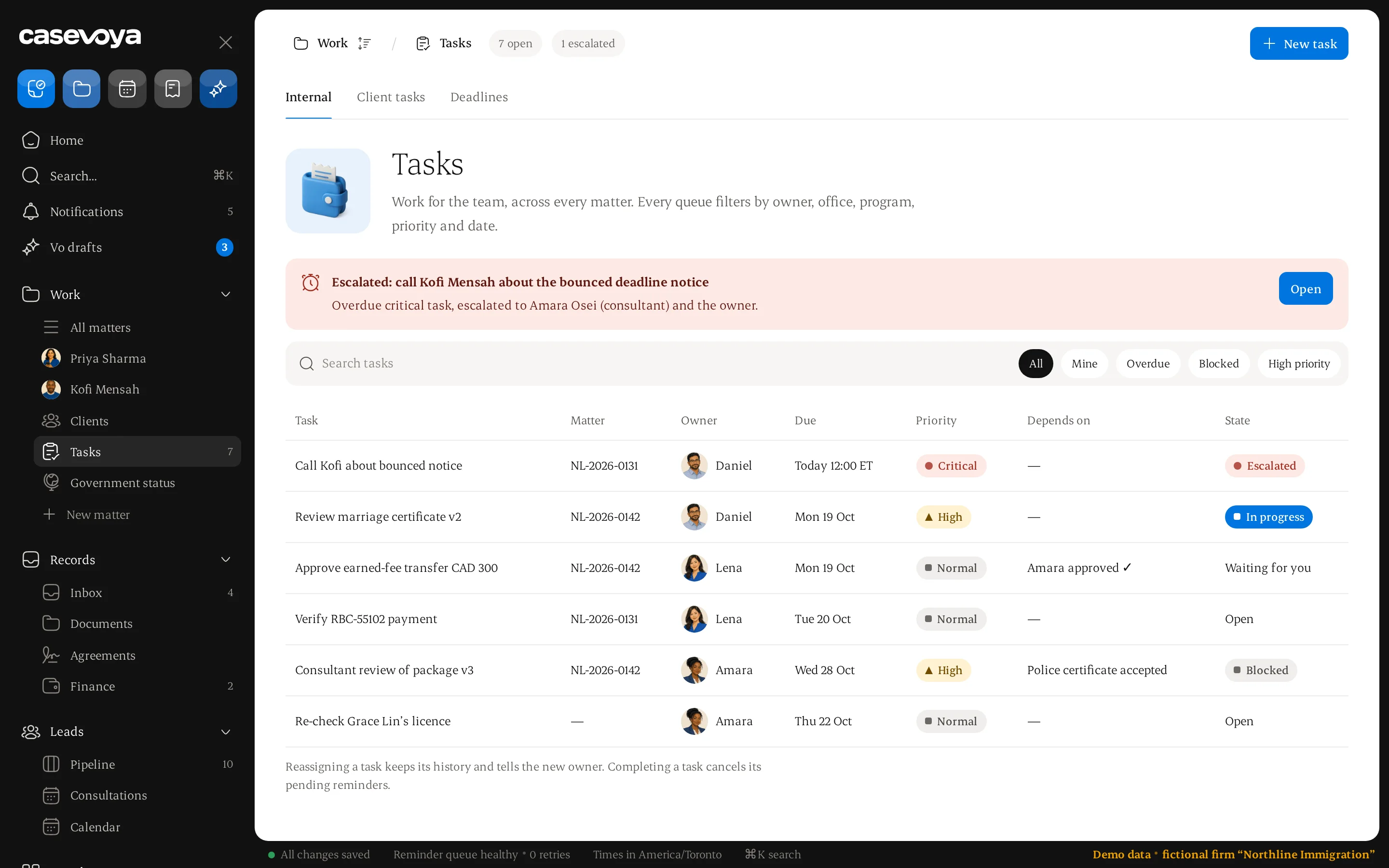
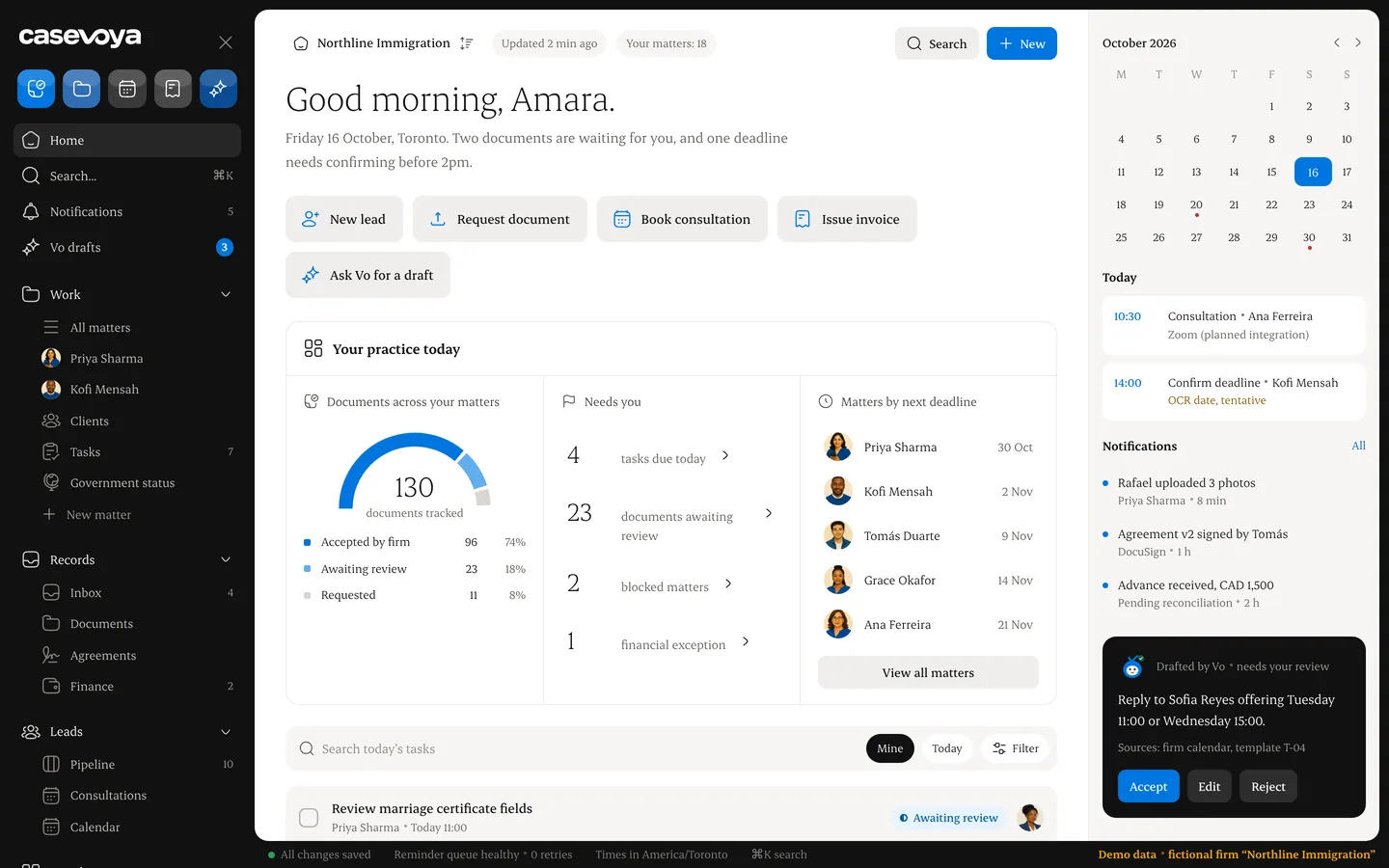
Your morning, in one queue.
Every matter that needs you today, with deadlines and Vo drafts waiting for your review.
Illustrative data.
Next step:a demo.
- 1Pick a time
- 230-minute walkthrough of an illustrative client file
- 3Try a sandbox with sample data
Book a 30-min demo